Custom actions
Custom actions
Let the AI agent call your HTTP APIs mid-conversation — order lookups, account checks, ticket creation.
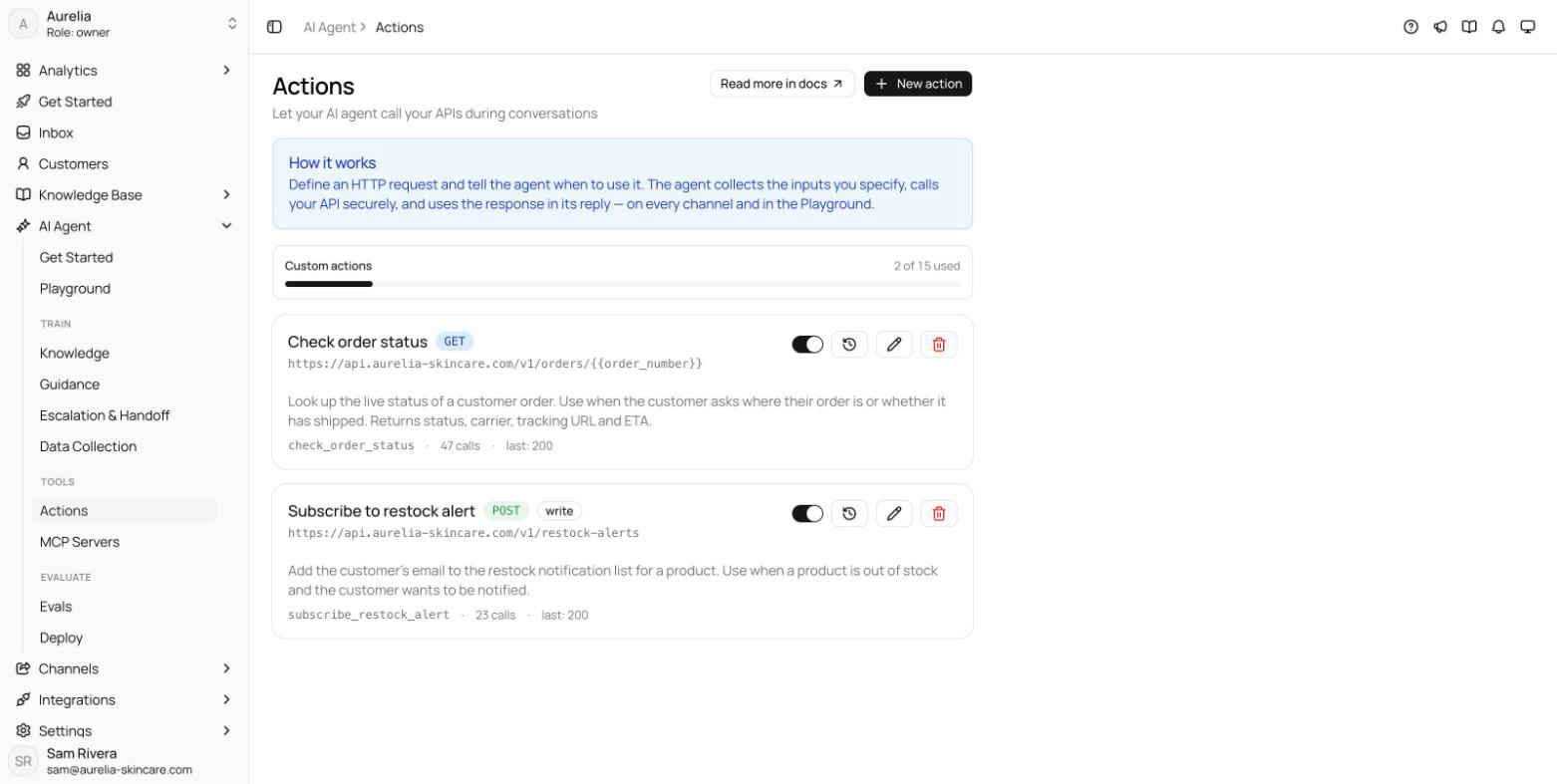
A custom action is an HTTP request the agent can make during a conversation. You define the request and tell the agent when to use it; the agent collects the inputs you specify from the customer, calls your API, and uses the response in its reply — on every channel. Manage actions at app.asks.app/ai-agent/actions (AI Agent → Custom Actions, under Tools).
Custom actions are part of every paid plan: up to 5 on Starter, 15 on Business, and 50 on Premium. The Free plan doesn't include them: on Free the page shows an upgrade card, and New action carries a lock and opens the upgrade prompt instead of the editor. Once every action your plan allows exists, New action offers an upgrade the same way. The full matrix is in Limits & quotas. Only workspace owners and admins can create, edit, or delete actions; other roles see the page read-only.
The same page also holds your Calendly actions at the top, and a Slack alerts card that links to Slack alerts on Integrations → Slack.
You don't have to build the form by hand. Select New action, describe the action in one sentence — "Look up an order's delivery status by tracking number" — under Describe it and we'll draft it, and select Generate. You get a full draft: name, description, inputs, and request. Review it and verify the endpoint before saving.
Anatomy of an action
Action namestringrequiredWhat it does (for the AI)stringrequiredWhat to ask the user firstinputsAPI endpointrequestrequiredhttps:// URL.Headers, query, bodyrequest{{variable}} placeholders. Body mode is No body, JSON, or Form-encoded (GET requests send no body). Individual header values can be marked secret — they're encrypted, never shown again, and left blank on edit to keep the stored value.Authenticationnone | bearer | api key | basicVariable templating
Collected inputs are inserted into the request with {{variable}} placeholders — in the URL path, query string, headers, or body. They are never allowed in the scheme or host: the destination of a request is fixed at design time, so a manipulated conversation can't redirect calls to another server. Built-ins {{conversation_id}}, {{channel}}, {{customer_id}}, and {{workspace_locale}} are also available, along with any value an earlier action saved to memory.
Safety rails and advanced settings
- Write methods require a domain allowlist. POST, PUT, PATCH, and DELETE actions must list at least one allowed domain; requests outside it are refused. Write actions are also rate-limited and audit-logged.
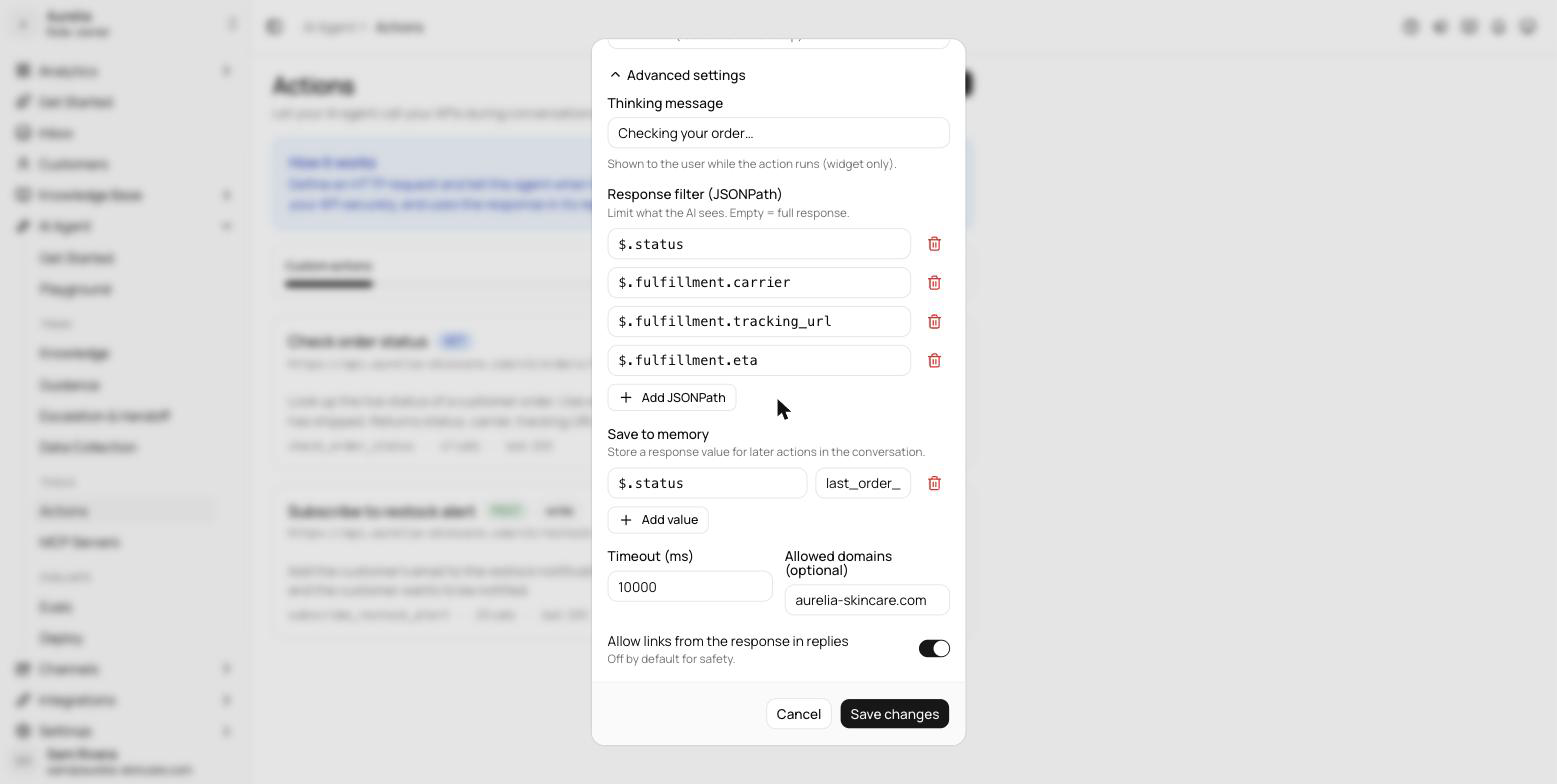
- Timeout (ms) — 1,000 to 30,000 milliseconds per call; 10,000 by default.
- Response filter (JSONPath) — optional filters (like
$.order.status) limit what the model sees from the response; empty means the full response. - Allow links from the response in replies — off by default. Links in the response are not removed automatically; the switch tells the agent whether links from this action are safe to share with customers.
- Save to memory — store a response value under a key that later actions in the same conversation can reference.
- Thinking message — optional text shown to the customer while the action runs, like "Checking your order…". Shown in website chat only (Chat widget, Spotlight, Chat Page).
Actions in the Playground
In the Playground, lookups (GET) run for real against your API, but write actions (POST, PUT, PATCH, DELETE) are simulated and send nothing — so you can rehearse a refund or a ticket creation without side effects. In live conversations every enabled action runs for real.
Manage and monitor
Each action card shows the method, the endpoint, a disabled or write badge where it applies, the tool name, a call counter, and the status of the last call. The switch on the card enables or pauses the action without deleting it. The history button opens Recent calls: the last 20 invocations across all conversations with status, duration, and any error. Deleting an action deletes its stored credentials and call history with it.
Worked example: order status
Select New action. Name it Delivery status and describe it as: "Look up an order's delivery status by order number. Use when the customer asks where their order is. Returns status, items, and tracking link."
Under What to ask the user first, add one input: order_number, type string, required — "The customer's order number, e.g. #1234".
In API endpoint, choose GET and enter https://api.example.com/orders/{{order_number}}. Under Authentication, choose API key header, name the header, and paste the key.
Under Advanced settings, add response filters like $.order.status and $.order.tracking_url so the model sees only what it needs.
Open the Test tab, enter a sample order number, and select Run test. Check the response, then select Create action. Testing a write method performs a real request against your live endpoint, behind a confirmation. The agent can call the action immediately.
Verify in the Playground: ask "where is my order?" and confirm the agent asks for the order number, calls the action, and answers from the response.
For tools that live outside your own API, see MCP servers. To let the agent offer meeting times, see Calendly.