Reminders & alerts
Reminders & alerts
Remind customers before an unpaid order's payment runs out, alert your team to new, paid and flagged orders, and catch products running low on stock.
Asks follows up on orders for you: one reminder to a customer who hasn't paid yet, alerts to your team when an order arrives, is paid or needs a check, and a heads-up when a sale takes a product to low stock. None of them uses AI credits.
Set it up
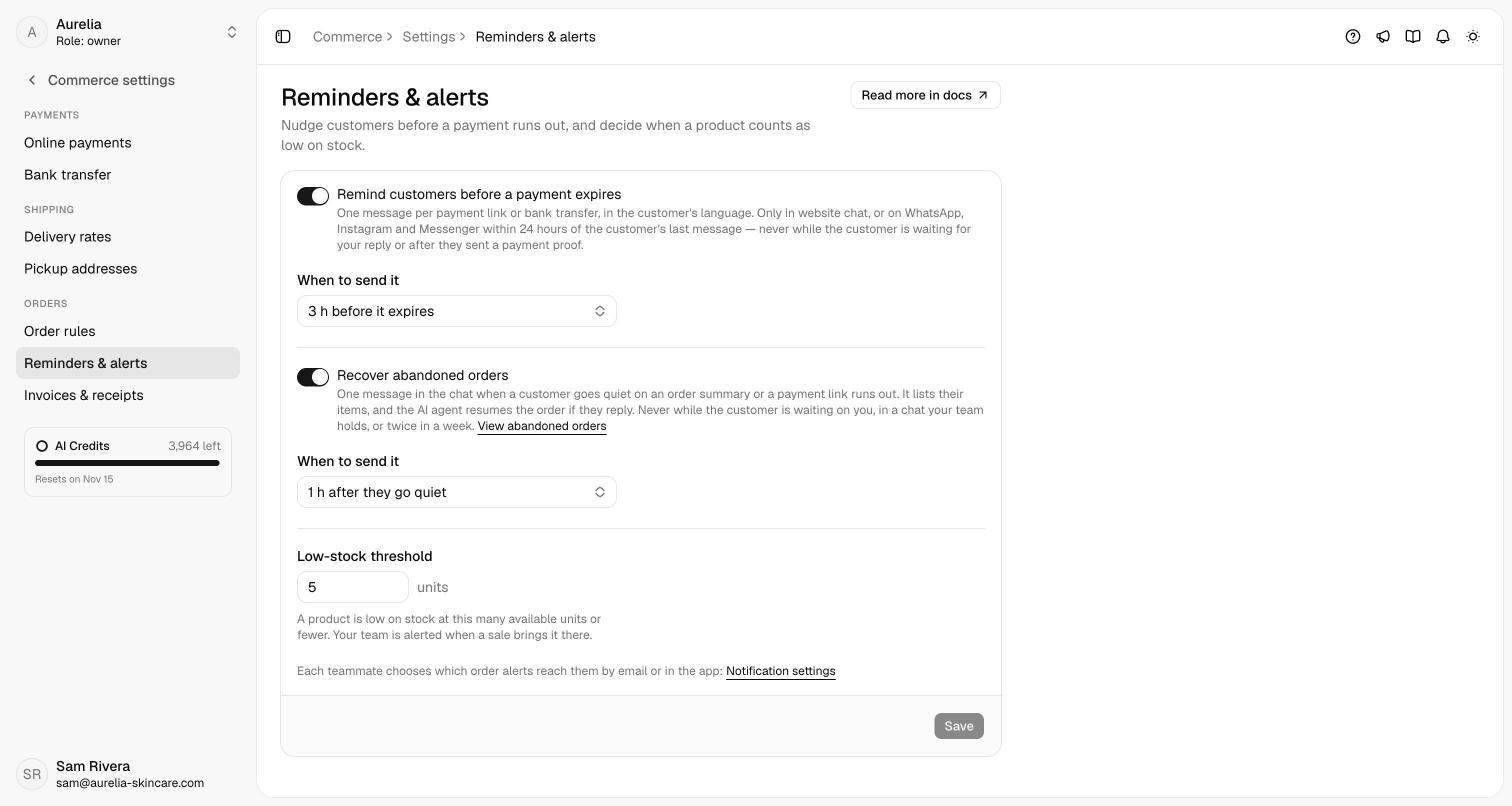
Commerce → Settings → Reminders & alerts has three settings (owners and admins):
| Setting | Default | Details |
|---|---|---|
| Remind customers before a payment expires | On | One reminder per payment link or bank-transfer request. |
| When to send it | 3 h before it expires | 1, 2, 3, 6, 12 or 24 hours before. |
| Low-stock threshold | 5 units | A product variant is low on stock at this many available units or fewer. |
Payment reminders
Before an unpaid order's payment window closes, the customer gets one message in the conversation, in their language. For a Xendit link it says when the link expires and carries a Pay now button. For a bank transfer it repeats your account details and invites the customer to reply with their transfer receipt; it never claims the transfer has a deadline. For a bank transfer, the window is the payment-link validity in your order settings, counted from when the transfer details were issued.
Asks sends a reminder only when it can't get in the way:
- the order is still unpaid, not cancelled and not in review, and still charges the same total;
- no payment proof is waiting for your team (after a rejected proof, a reminder can go out);
- the conversation is on your website chat, or on WhatsApp, Instagram or Messenger within 24 hours of the customer's last message;
- your side answered last, so a customer waiting for your reply is never nudged; and
- the conversation has been quiet for at least 30 minutes, and the payment is at least 30 minutes old.
Each payment gets at most one reminder. The order's timeline and the conversation's internal note record it, or say it couldn't be delivered.
Team alerts
Asks alerts your team to four order moments:
| Alert | Sent when | Email by default |
|---|---|---|
| New orders | The AI agent, a teammate or the API created an order. | Off |
| Payments received | An order was paid. | On |
| Payments to review | A wrong amount, a double payment, or a payment after cancelling. | On |
| Low stock | A sale took a product to its low-stock threshold. | On |
Alerts go to the workspace's owners and admins and to the teammate assigned to the order's conversation, but never to the person who caused them: whoever marks an order paid isn't alerted that it's paid. In-app alerts appear as a notification in the corner of the dashboard, with a link to the order or the products, while Asks is open. Emails come from Asks's notifications address.
Each teammate chooses their own alerts under Settings → Account → Notifications → Commerce alerts, with an Email and an In-app switch per alert. In-app alerts are all on by default.
Low stock
A product variant that tracks stock is low when its available units (stock minus units reserved by unpaid orders) are at or below the threshold. On Commerce → Products it carries a Low stock badge, and the Low stock filter lists it.
You're alerted once each time a sale brings a variant to the threshold. Stock changes your team makes (editing a product, importing a CSV) never alert, since whoever typed the number already knows it; a variant that goes back above the threshold is alerted again the next time it drops. Low-stock emails arrive as one digest, at most every 6 hours per workspace.
Related
- Orders — payments, reviews and fulfilment.
- Products — how stock and reservations work.
- Abandoned orders — one reminder when a customer leaves an order.
- Workspace security — the other notification settings.