Tickets, tags & SLAs
Tickets, tags & SLAs
How conversations and tickets relate, and how to organize your queue with tags, canned responses, and SLA policies.
Every conversation in Asks has a lightweight ticket behind it. The conversation tracks the dialogue; the ticket tracks the work — status, priority, tags, and SLA deadlines. There is no separate tickets area: everything lives in the inbox, and a ticket link — like the ones in assignment emails — opens its conversation there.
Conversations vs tickets
Tickets are created automatically when a conversation starts. They're numbered sequentially per workspace and shown as #123 on inbox rows and in the customer panel.
| Values | What it tracks | |
|---|---|---|
| Conversation status | Open, Closed | The state of the dialogue with the customer. |
| Ticket status | Open, In progress, Closed | Your team's workflow on that conversation. |
| Ticket priority | Low, Normal, High, Urgent | Urgency. Defaults to Normal. |
In progress is set automatically when a teammate takes over or reopens a conversation; the status control itself offers Open and Closed. Edit status, priority, and tags in the customer panel's Conversation section. Closing a conversation closes its ticket.
How AI resolve and reopen work
The AI agent can resolve conversations itself: when a customer confirms they're done, it sends a closing message, closes the conversation as resolved, and closes the ticket. Quiet conversations can close automatically too — see When a conversation goes quiet.
Resolving is reversible. If the customer writes again — minutes or weeks later — the conversation reopens. Closed tickets are never reopened; a fresh ticket is created and linked to the previous one, so each round of work keeps its own record and SLA clock.
Tags
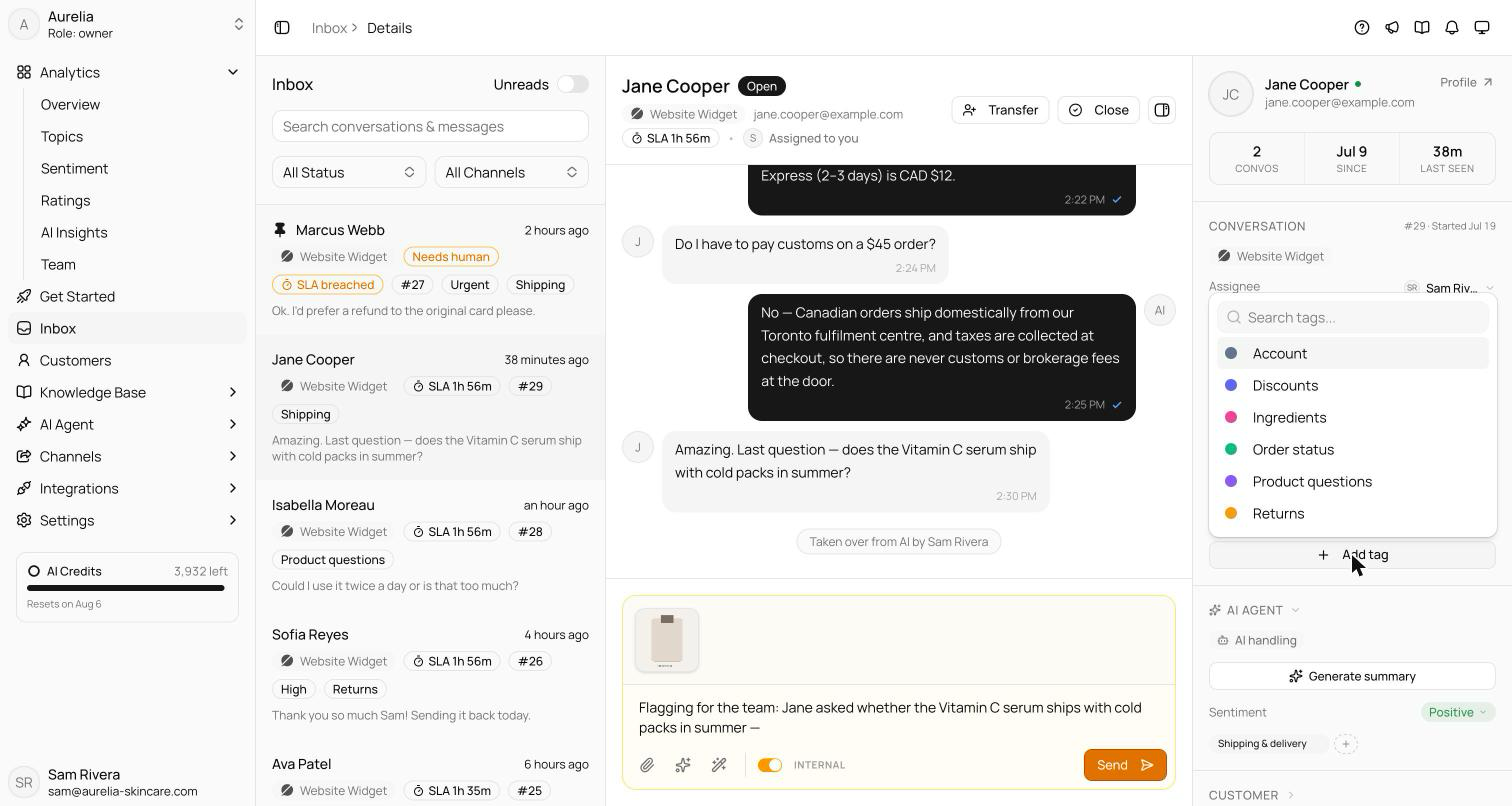
Tags are workspace-controlled labels for categorizing conversations. Manage them at https://app.asks.app/settings/workspace/tags: New tag takes a name (stored lowercase, so there are no near-duplicates) and an optional hex color. Deactivate retires a tag and Reactivate brings it back.
In the inbox you pick from the active list — tags can't be free-typed on a conversation, which keeps reporting clean. Topics are separate: the AI assigns them as it analyzes conversations, and they appear in analytics and the customer panel's AI Agent section, never in your tag list.
SLA policies Business and up
SLA policies set response-time targets for your team. On Starter and Free, the page shows an upgrade prompt instead.
Go to https://app.asks.app/settings/workspace/sla-policies and click Add policy.
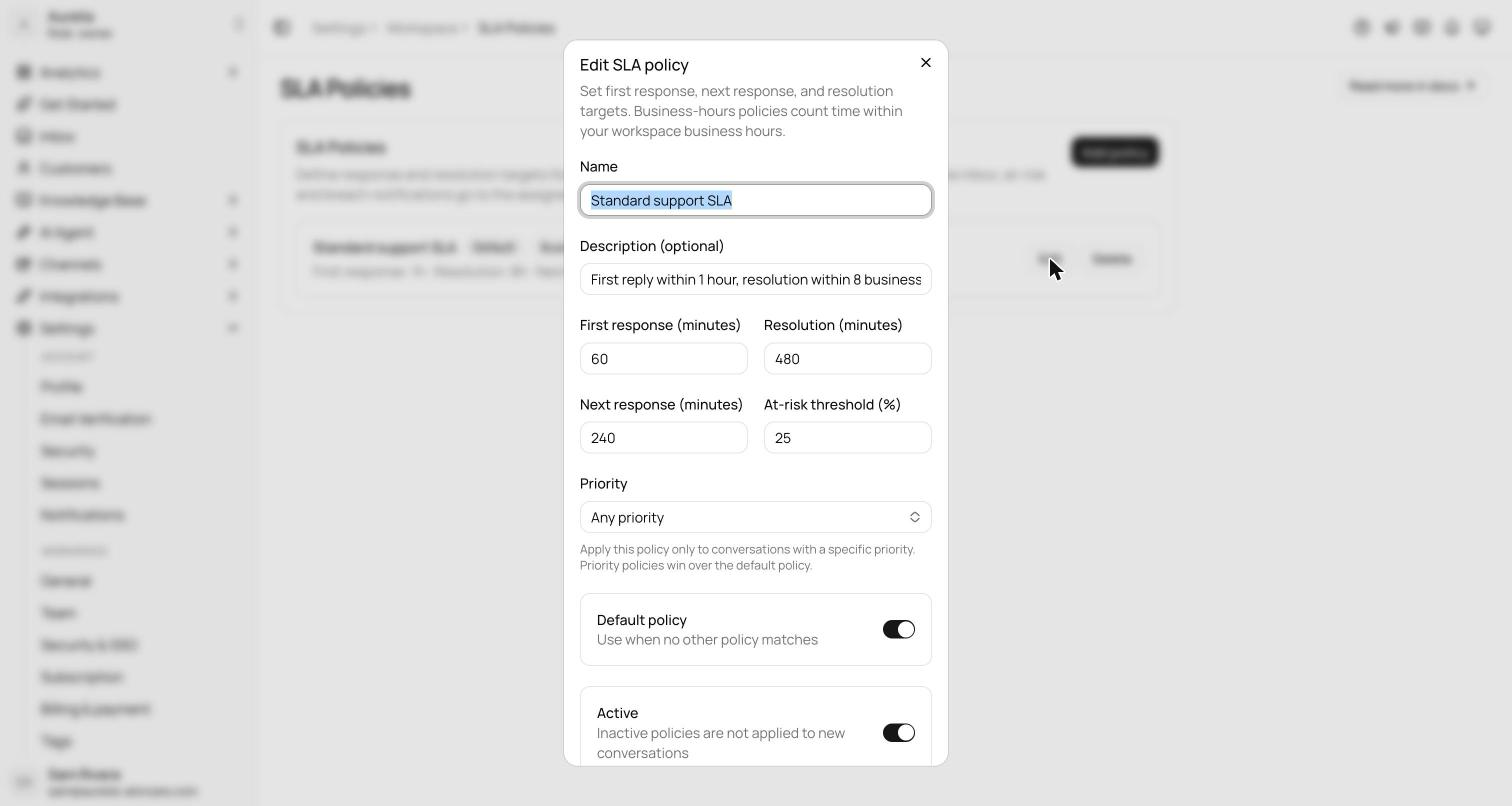
Enter a name and the targets in minutes. Scope the policy to one priority, or leave Any priority. Create one policy per priority to give urgent tickets tighter targets.
New and reactivated policies also attach to open tickets, with due times counted from that moment — no retroactive breaches.
| Field | What it does |
|---|---|
| First response | Minutes from ticket creation to the first public reply. Default 60. |
| Next response | Optional. Minutes from a customer follow-up to the next public reply. Off by default. |
| Resolution | Minutes from ticket creation to close. Can't be shorter than first response. Default 480. |
| Priority | Apply only to one priority. Priority policies win over the default policy. |
| At-risk threshold | The share of time remaining (5–90%) that flips a ticket to at risk. Default 25%. |
| Default policy | Used when no other policy matches. |
| Active | Inactive policies aren't applied to new conversations. |
| Business hours only | On by default. Counts time only inside your business hours — timezone and closed dates included — set under AI agent → Escalation → Business hours. |
A public reply from your team or the AI agent counts as a response; internal notes don't. Tickets are scored on track, at risk, or breached. On each at-risk or breached transition, the assignee — or, when unassigned, the owners and admins — gets an email (the SLA at risk or breached notification), and the sla.at_risk and sla.breached webhooks fire. In the inbox you see countdown chips on rows and in the transcript header, due times in the customer panel, and the SLA at risk / SLA breached filters. Attainment over time is on Team analytics.
Canned responses
Canned responses are reusable replies your team inserts from the composer — type / at the start of a message or after a space, or click the canned-responses button. Manage them at https://app.asks.app/settings/workspace/canned-responses: New canned response takes a Name, the Content, an optional Shortcut (like /refund), a Visibility, and optional Ticket actions. Each response shows how often it's been used.
Use Workspace visibility for replies everyone needs and Personal for your own. Responses saved with the retired Team visibility show to the whole workspace.
Ticket actions run on the conversation's ticket once you send a reply that uses the response:
| Action | Choices |
|---|---|
| Set status | Don't change, Open, or Closed — Closed closes the conversation too. |
| Set priority | Don't change, Low, Normal, High, or Urgent. |
| Add tags | Any of your workspace tags; tags already on the ticket stay. |
Nothing changes until the reply is sent, so a "reply and close" response never closes the conversation before your reply goes out. If you insert a second response before sending, its actions replace the first one's.
Content supports variables, filled in at insert time. Insert variable in the editor lists them all:
| Root | Variables |
|---|---|
customer | {{customer.name}}, {{customer.email}}, {{customer.phone}}, {{customer.externalId}}, {{customer.tags}} |
ticket | {{ticket.number}}, {{ticket.status}}, {{ticket.priority}}, {{ticket.tags}} |
conversation | {{conversation.id}}, {{conversation.status}}, {{conversation.priority}}, {{conversation.tags}} |
agent | {{agent.name}}, {{agent.email}} |
workspace | {{workspace.name}} |
Related
- Takeover & collaboration — using canned responses and notes in the composer.
- Tags API and Canned responses API — manage tags and read canned responses programmatically.
- Limits & quotas — what each plan includes.