Tests
Tests
A simulated customer talks to your agent again every time you change it, and a judge grades each conversation against one success criterion.
Paid plans A test is one scenario you care about: who the customer is, what they want, and the one thing your agent must get right. Each run, another model plays that customer and talks to your agent — with your live knowledge, products, actions and model tier — until the customer is done, the agent hands over or closes the conversation, or the turn limit is reached. A judge then reads the finished conversation and grades it against your success criterion alone.
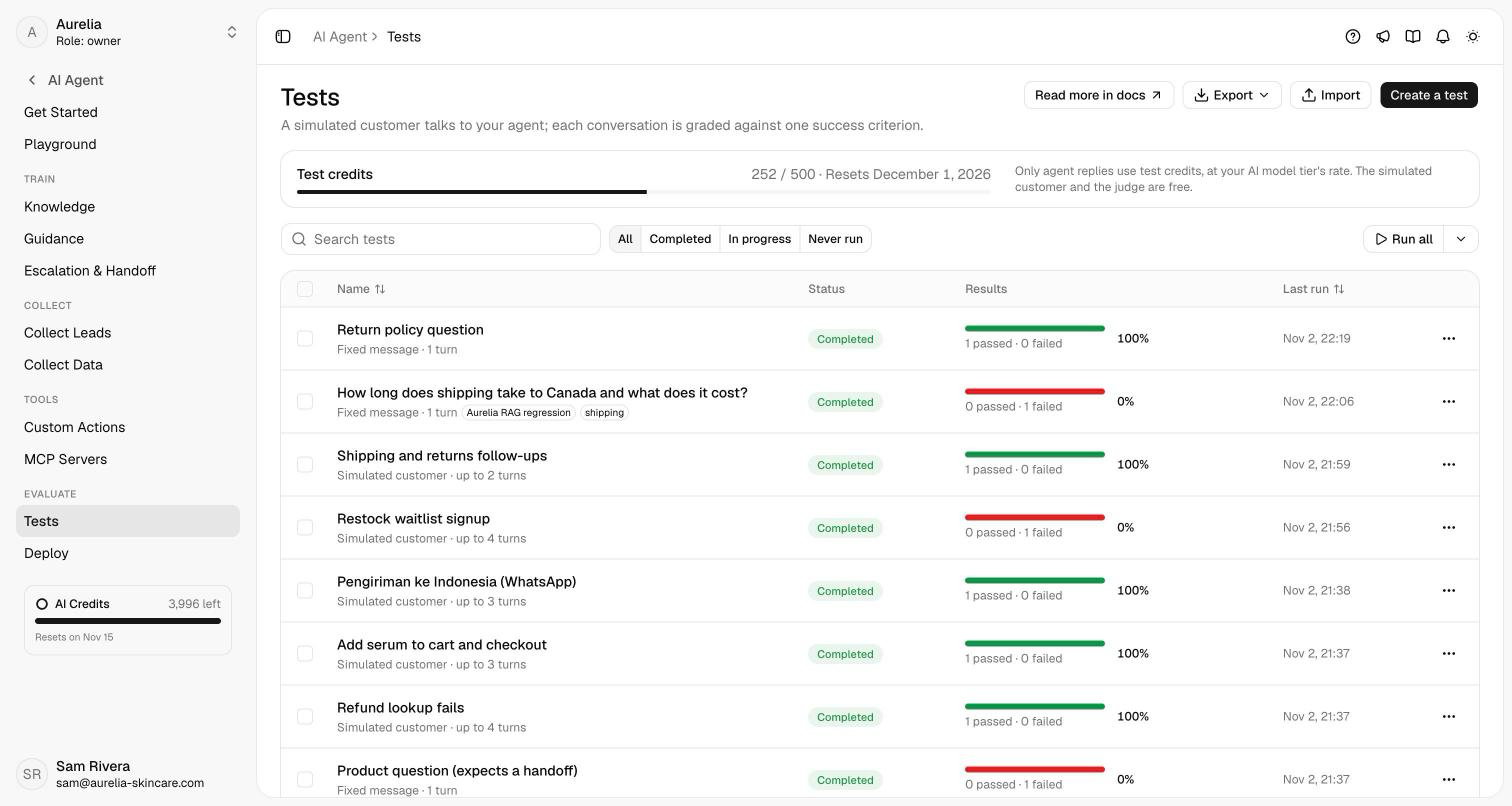
Open app.asks.app/ai-agent/tests. The page lists every test with its status (Never run, In progress, Completed), the results of its latest run as a pass/fail bar, and when it last ran. Search, filter by status, select tests and Run selected, or Run all. The Test credits meter shows this month's usage and when it resets.
Click Create a test. Give it a name (only you see it), describe the simulated user — who they are and what they want, in plain words — and write one success criterion: what has to be true for an attempt to pass. Keep it to one outcome; write a second test for a second outcome. The simulated customer sees only its own description and the conversation, never your agent's instructions or the criterion.
Add a first message to open the conversation with fixed words; leave it empty to let the simulated customer start. A test with a first message, no simulated user and 1 turn is a single question with an expected answer.
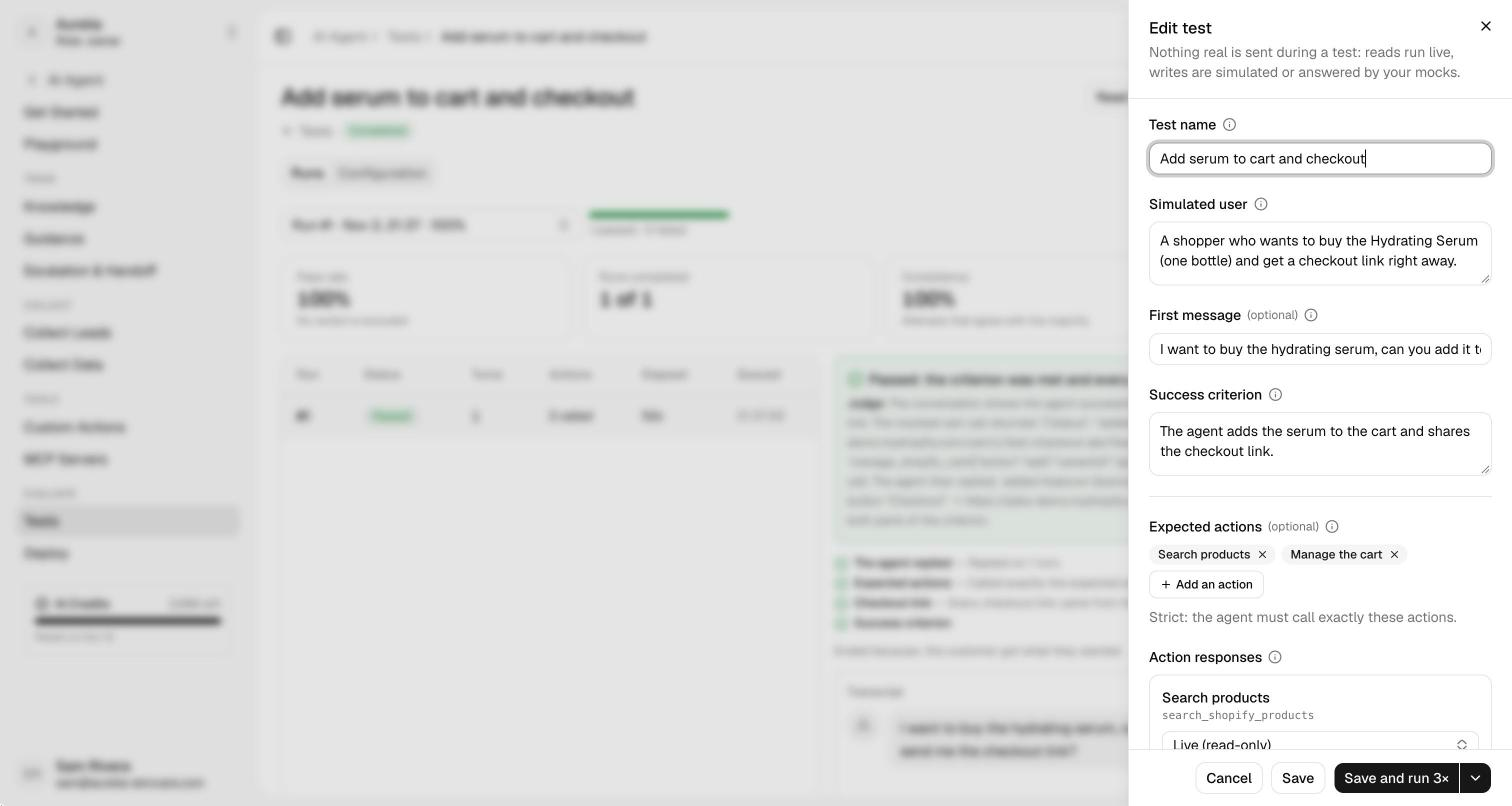
Expected actions are optional and strict: an attempt fails if one of them is never called, and also if the agent calls an action that isn't listed. Order doesn't matter, a repeat counts once, a failed call still counts, and inputs aren't checked — put rules about inputs in the criterion. Knowledge searches are never actions.
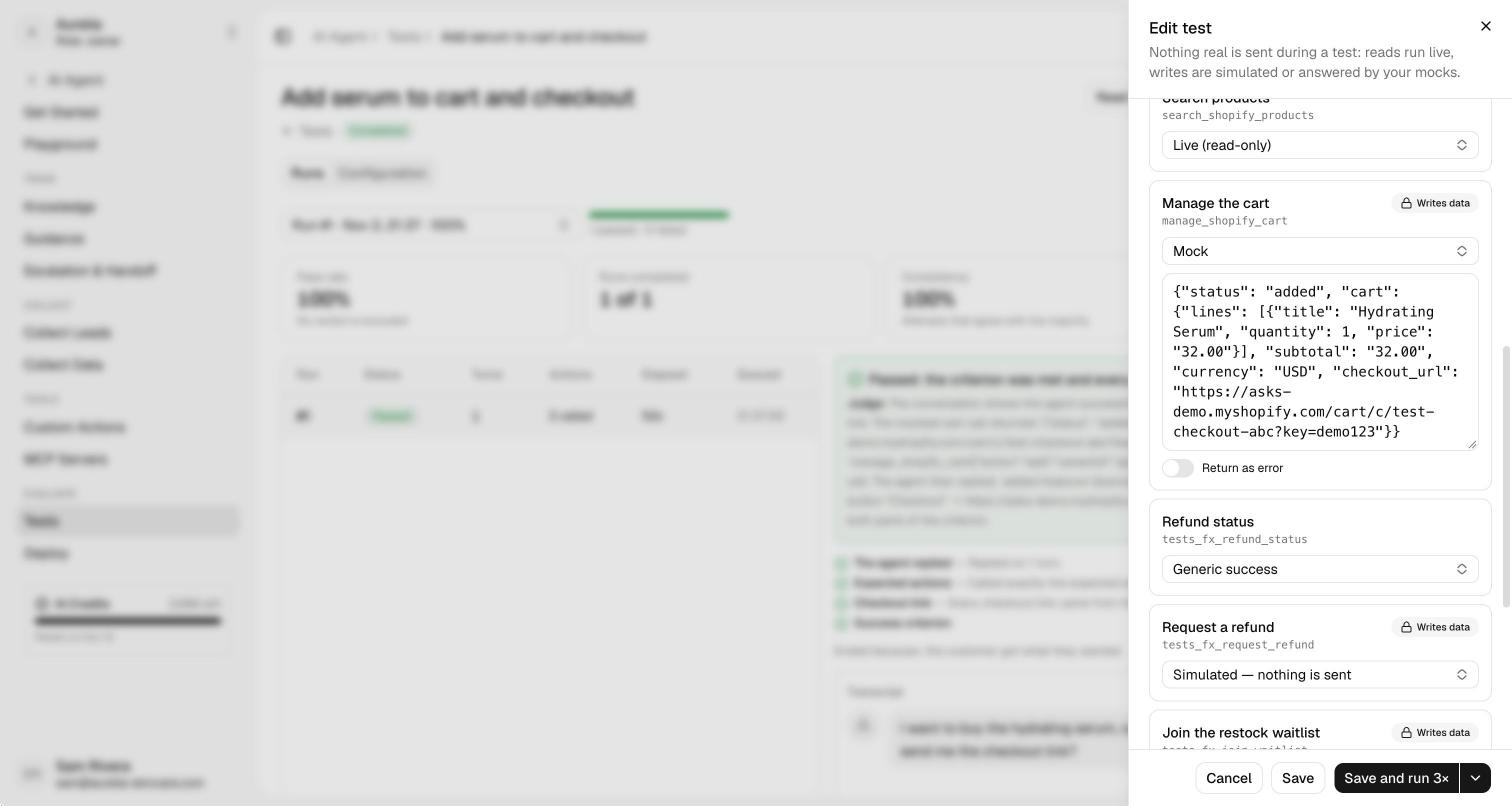
Action responses decide what each action returns during a test, so nothing real is ever changed:
| Response | What happens |
|---|---|
| Live (read-only) | Searches products, store policies and order status for real — with Commerce, also your catalog, the customer's orders and order summaries. Only actions that read data can run live. |
| Simulated — nothing is sent | Custom actions that write data, Calendly bookings, Slack alerts, saved customer details, and Commerce orders, order changes, payment links, cancellations and payment proofs are checked exactly like a real call, then answer as if they succeeded. |
| Mock | Your own JSON answer. Turn on Return as error to see how the agent handles a failed call. |
| Generic success | Everything else — the cart, custom actions that only read, MCP tools — returns a plain success and never runs. Mock the cart with a checkout link to test a purchase. |
Max conversation turns (1–20) is how many messages the customer may send before the attempt stops; a conversation that hasn't met the criterion by then fails. Channel gives the agent that channel's reply shape (WhatsApp, Instagram, Messenger, email or the chat widget). Language makes the simulated customer write in English, Spanish, Indonesian or Portuguese, and every reply must be in it. A customer profile lets the agent see a made-up name, email or phone, as if the customer were known — never use a real customer's details.
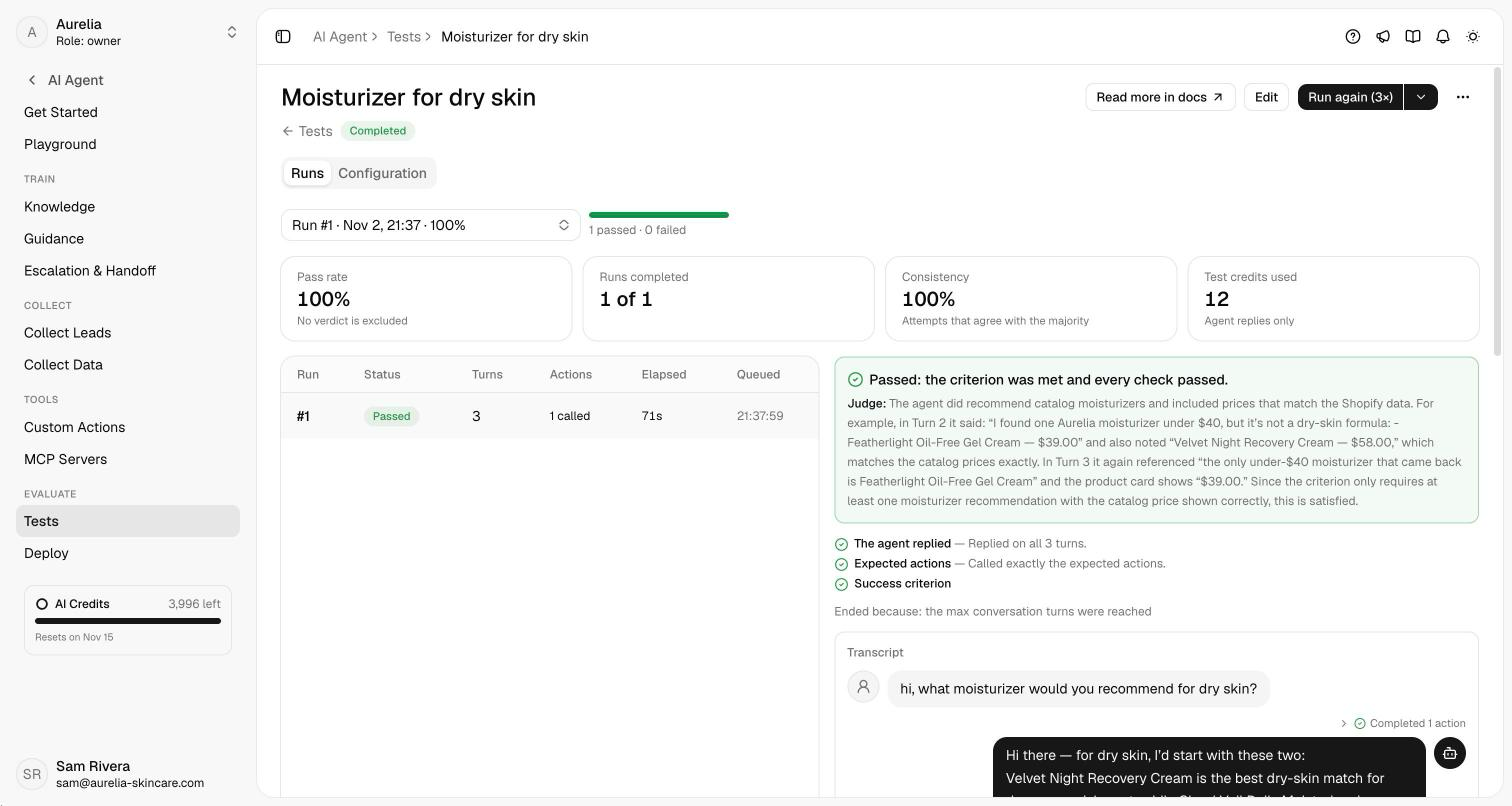
Save and run runs the test 1, 3, 5, 10 or 20 times. Up to 5 conversations run at once per workspace; the rest wait as Queued, and you can leave the page. Each test page shows every run (Run #1, Run #2…), its pass rate, its consistency (how many attempts agree), the test credits it used, and whether the result flipped since the previous run.
Pick a conversation to see the verdict, the judge's reasoning, every check, and the full transcript — rich replies render as your customers see them, and each turn lists the actions the agent took with their input and response.
How a test passes
An attempt passes only when every check passes and the judge says the criterion was met:
- The agent replied on every turn.
- Expected actions — exactly the listed actions were called (when you listed any).
- Checkout link — every checkout link shown came from the cart, never made up.
- Reply language — every reply is in the test's language (when you set one).
- Success criterion — the judge writes its reasoning first, then decides. It knows your agent's guidance, so advice your guidance asks for counts as correct. "Can't tell" counts as a fail.
No verdict means something outside your agent failed — the AI provider, the simulated customer or the judge — or the month's test credits ran out mid-run. It's retried once, then left out of the pass rate, and it doesn't use credits.
Test credits
Only the agent's replies use test credits, at your model tier's normal rate (Essential 1, Pro 4, Ultra 8 per reply); the simulated customer and the judge are free. Test credits are separate from your AI credits and reset on the 1st of every month. Before a run that could use more than you have left, Asks shows the maximum and asks you to confirm. Allowances per plan are on plan limits.
Tests never touch your Inbox, analytics, customers, AI credits, email, Slack, Calendly or Shopify. Owners and admins create, edit and run tests; everyone in the workspace can read the results.
Import, export and other sources
- Import a CSV or XLSX file (template on the Import dialog). Every row is checked first and nothing is created until the file is clean; a row with just a message and an expected answer becomes a 1-turn test.
- Export your tests as XLSX or CSV, or a run's results as CSV (one row per conversation, with the verdict, actions, never-called and not-expected actions, and the judge's reasoning).
- Create test on a conversation in the Inbox (AI agent panel) or Save as test in the Playground drafts a test from that conversation. Names, emails, phone numbers and order numbers aren't copied.
Related: Playground, Guidance, Custom actions, Plan limits.