Overview
Analytics overview
See how your support is performing — volume, AI resolution, handoffs, and CSAT — with period-over-period deltas.
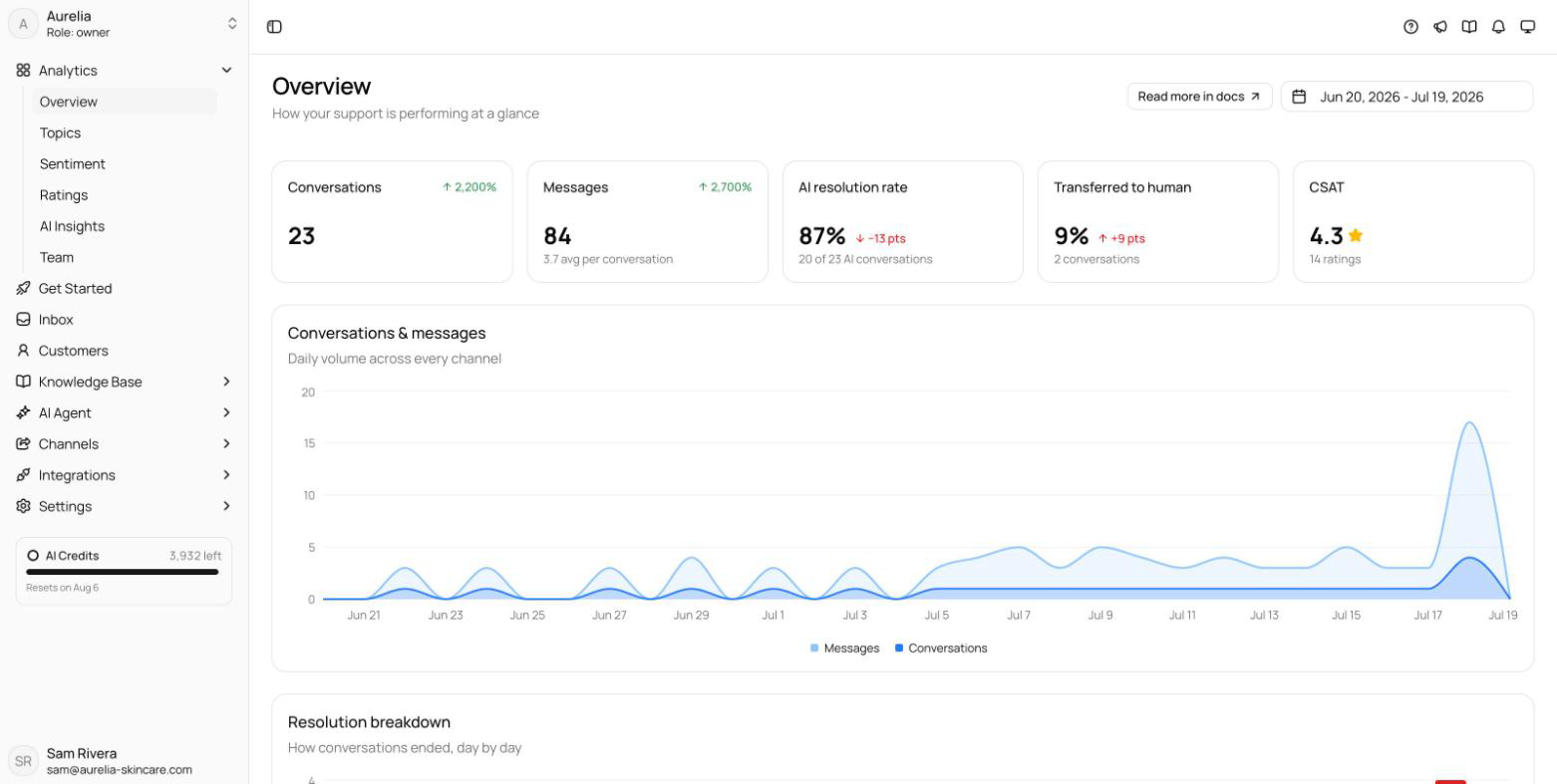
Analytics at https://app.asks.app/analytics shows how your support is performing at a glance. Pick a date range and every number compares itself to the previous period of the same length, so you see direction, not only totals.
Date range
The picker in the top-right corner of every analytics page offers Today, Yesterday, Last 7 days, Last 28 days, Last 30 days, Last 90 days, This month, Last month, and a custom range. The default is Last 30 days. Delta badges compare against the immediately preceding period — for Last 30 days, the 30 days before it.
How far back you can look depends on your plan: 7 days on Free, 90 days on Starter, 365 days on Business, and unlimited on Premium. See Limits & quotas.
Overview KPIs
- Conversations — total conversations in the period.
- Messages — total messages, with the average per conversation.
- AI resolution rate — the share of conversations the AI took part in that it resolved on its own.
- Transferred to human — conversations the AI handed to your team.
- CSAT — average rating out of 5, once ratings come in.
Below the tiles, the overview breaks the period down: conversations and messages per day, a resolution breakdown (confirmed resolved, assumed resolved, small talk, unresolved), conversations per weekday and per hour, channels, languages, top countries, devices, AI messages per conversation, and conversation duration. A Conversation pages table shows where widget conversations start on your site — each page with its conversation count; it appears once page data exists.
The other analytics pages
The Analytics group in the sidebar leads to deeper views. In workspaces with Commerce, it also has Sales:
The overview and Ratings are on every plan. Topics, Sentiment, AI Insights, and Team Business and up are on Business and above; on other plans they show a sample preview with an upgrade prompt.
Looking for what to add to your knowledge base next? Knowledge Gaps, at the bottom of AI Insights, groups the questions the AI couldn't answer and drafts an article for each — see Knowledge gaps.
Related
- Topics, sentiment & AI insights — what customers talk about, how they feel, and what to fix.
- Ratings & CSAT — turning on end-of-chat ratings and reading the results.
- Team performance — how your team does after the AI hands off.