Sales
Get started
AI agent
Channels
Commerce
Outbound
Help Center
Analytics
Sales
See paid sales for any date range, how many of them the AI agent closed, and which channels and products sold.
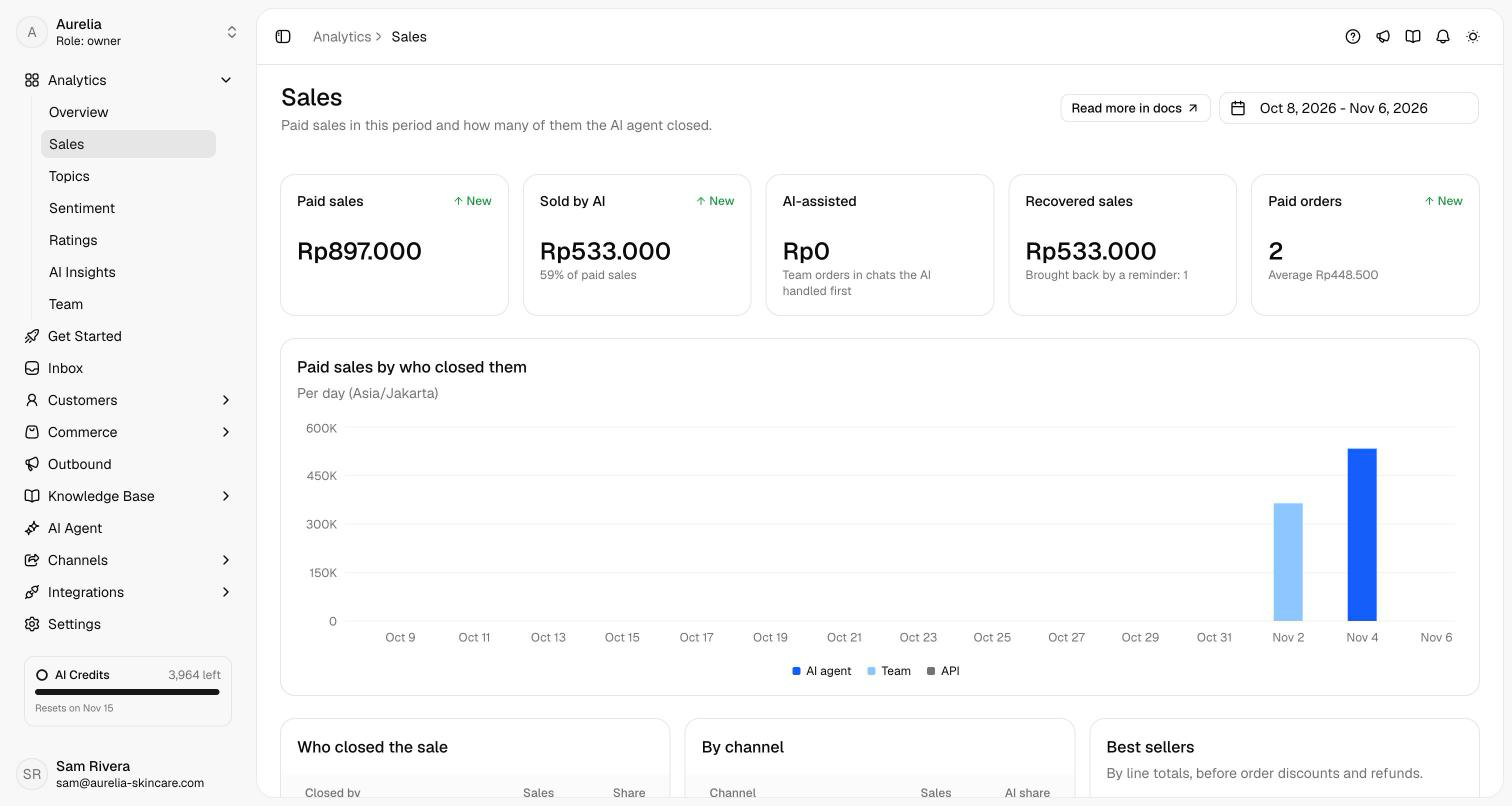
In workspaces with Commerce, Analytics → Sales shows what you sold in the date range you pick and who closed it. It's the one place for your commerce numbers; Orders stays a working list.
The numbers
- Paid sales — orders paid in the period, minus the refunds you recorded, compared with the period before it.
- Sold by AI — the part of that from orders the AI agent created in a conversation, with its share of paid sales.
- AI-assisted — paid sales from orders your team created in a conversation the AI handled first. They're counted apart, never added to Sold by AI.
- Recovered sales — paid sales from abandoned orders a reminder brought back. They also count in Paid sales, under whoever closed them.
- Paid orders — how many orders were paid, with the average order value.
Days follow your store's time zone (WIB).
The breakdowns
- Paid sales by who closed them charts each day's paid sales by the AI agent, your team and the API.
- Who closed the sale lists the same three with their sales, orders and share.
- By channel lists each channel's sales, orders and the AI's share.
- Best sellers lists your top five products with the units sold and their sales. These are line totals, before order discounts and refunds, so they can add up to more than Paid sales.
With no paid order in the range, the page says so and links to Orders.
Related
- Orders — follow, ship and review each order.
- Abandoned orders — where recovered sales come from.
- Orders in chat — how the agent takes the orders counted under Sold by AI.
- Analytics overview — conversations, resolution and the other analytics pages.