Help center
Help center
Publish a public, searchable help center from your knowledge base articles — on the web and inside the chat widget.
The help center is a public self-serve site built from your knowledge base articles, hosted at https://app.asks.app/help/your-slug. Customers browse every collection from a sidebar, search as they type, ask your AI agent a question right from search, and say whether an article helped — often without starting a conversation.
It is different from the Chat Page, a hosted page where customers ask your AI agent instead of browsing articles. The Chat Page's link cards and sidebar buttons can point at help center articles.
Availability — the help center is in limited release and is enabled per workspace; it isn't available to every workspace yet. When it's enabled for yours, Help Center appears in the dashboard sidebar and the Help space appears in your Chat widget settings. Until then, the knowledge base and the agent work the same without it.
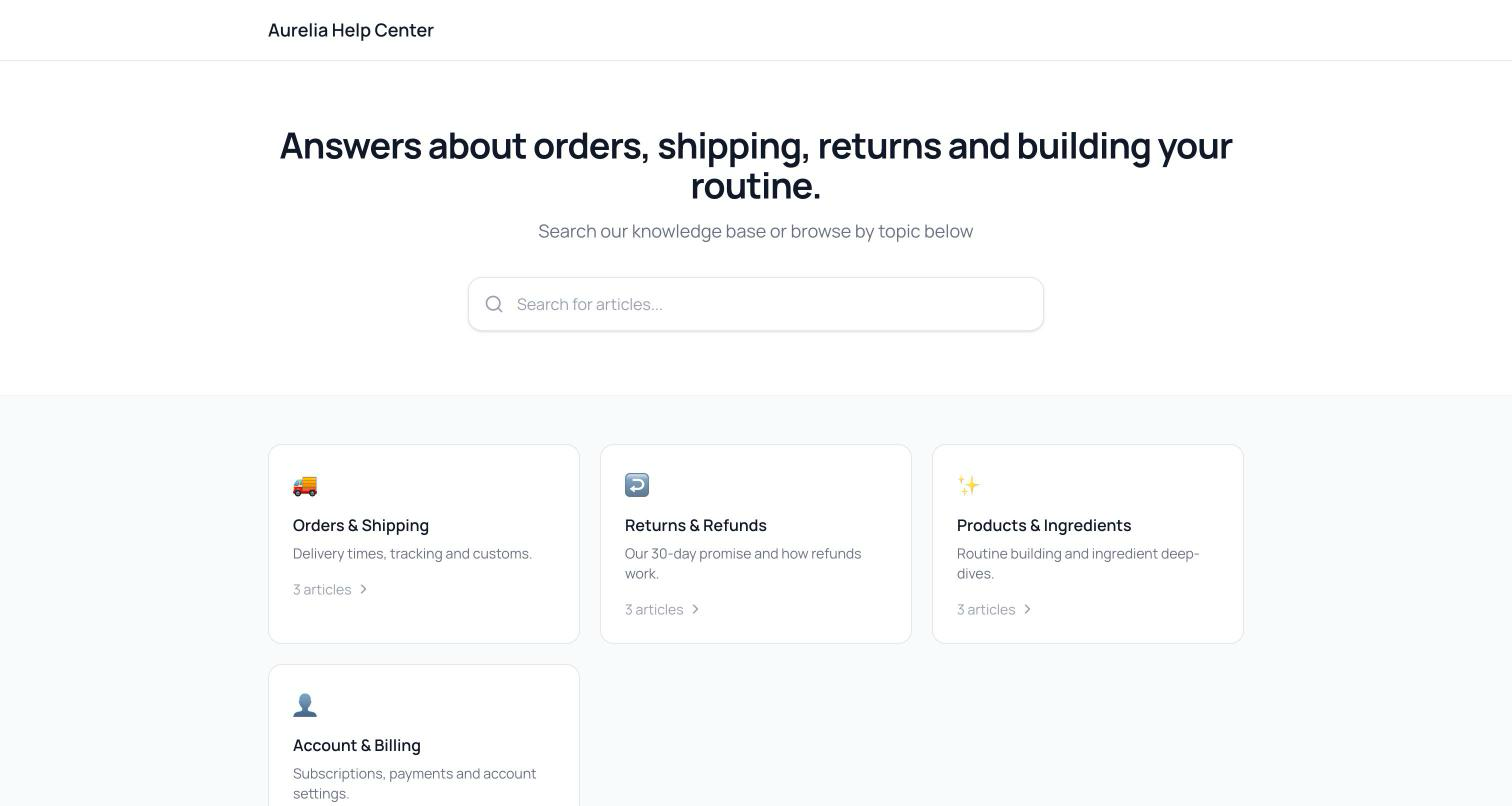
How it fits together
Help center articles are your knowledge base's public articles — there is one source of truth. Editing an article in the knowledge base updates the help center and the AI agent's knowledge at the same time. An article appears on the public site when it is:
- a Public article with status Published,
- switched to Public visibility in the article's settings, and
- added to a published collection.
Internal articles never appear, whatever their settings.
Set up your help center
Manage it at app.asks.app/help-center. The first visit creates a draft help center for your workspace, named "Help Center" and using your workspace's slug.
On Collections, click New Collection and set its Name, Slug (lowercase with hyphens), Description, Icon (picked from a set of icons), and the Published switch. Drag collections to reorder them. A live preview of the public site sits beside the list.
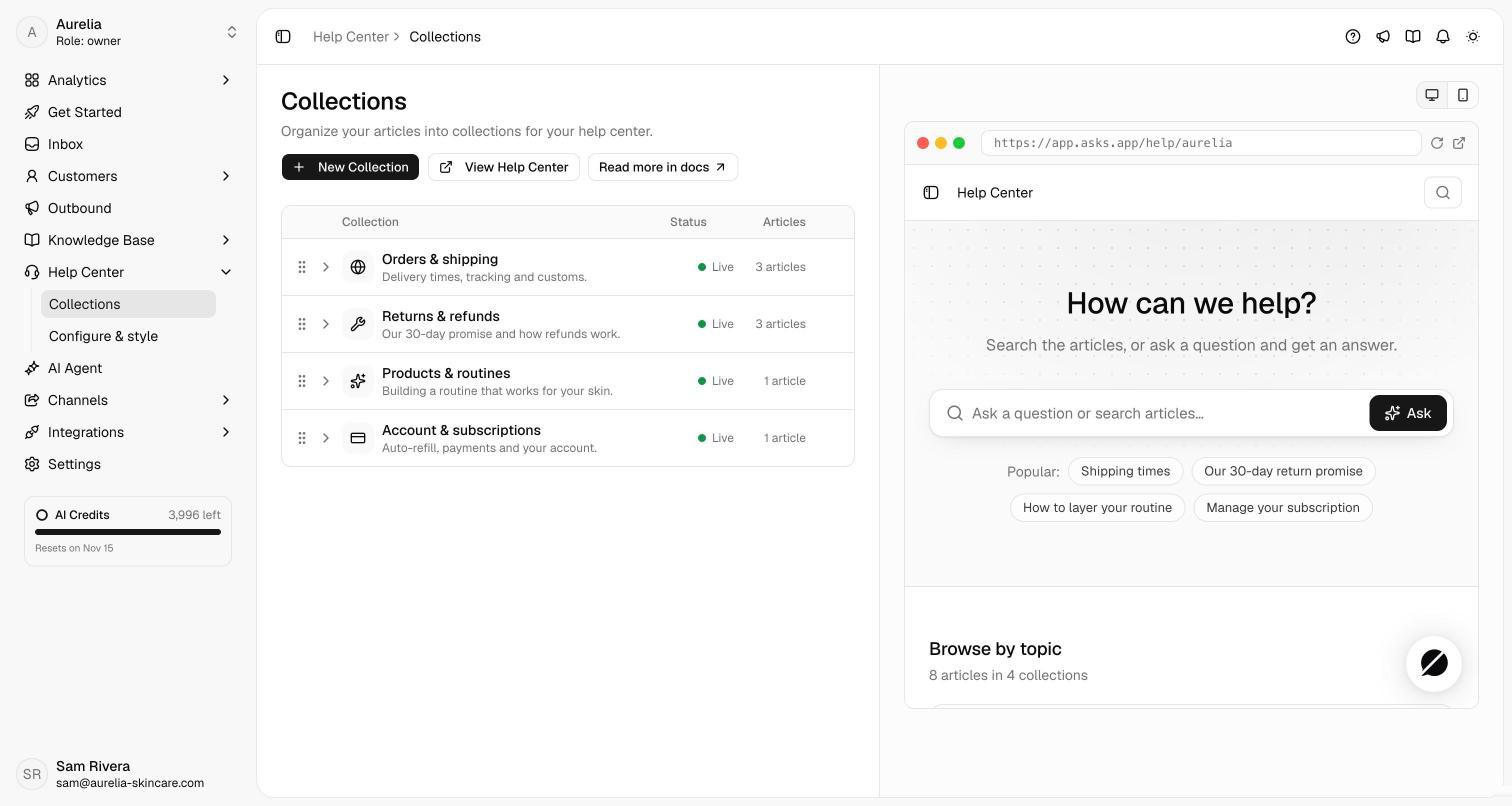
Open a collection and click Add Articles to pick from your published public articles. Drag articles to set their order inside the collection, or remove one from the collection without deleting it. Articles themselves are written in the knowledge base — turn on Public visibility there so they show on the site.
On Configure & style, set the name, slug, and branding (see the reference below). The preview refreshes on save and has a desktop and mobile view.
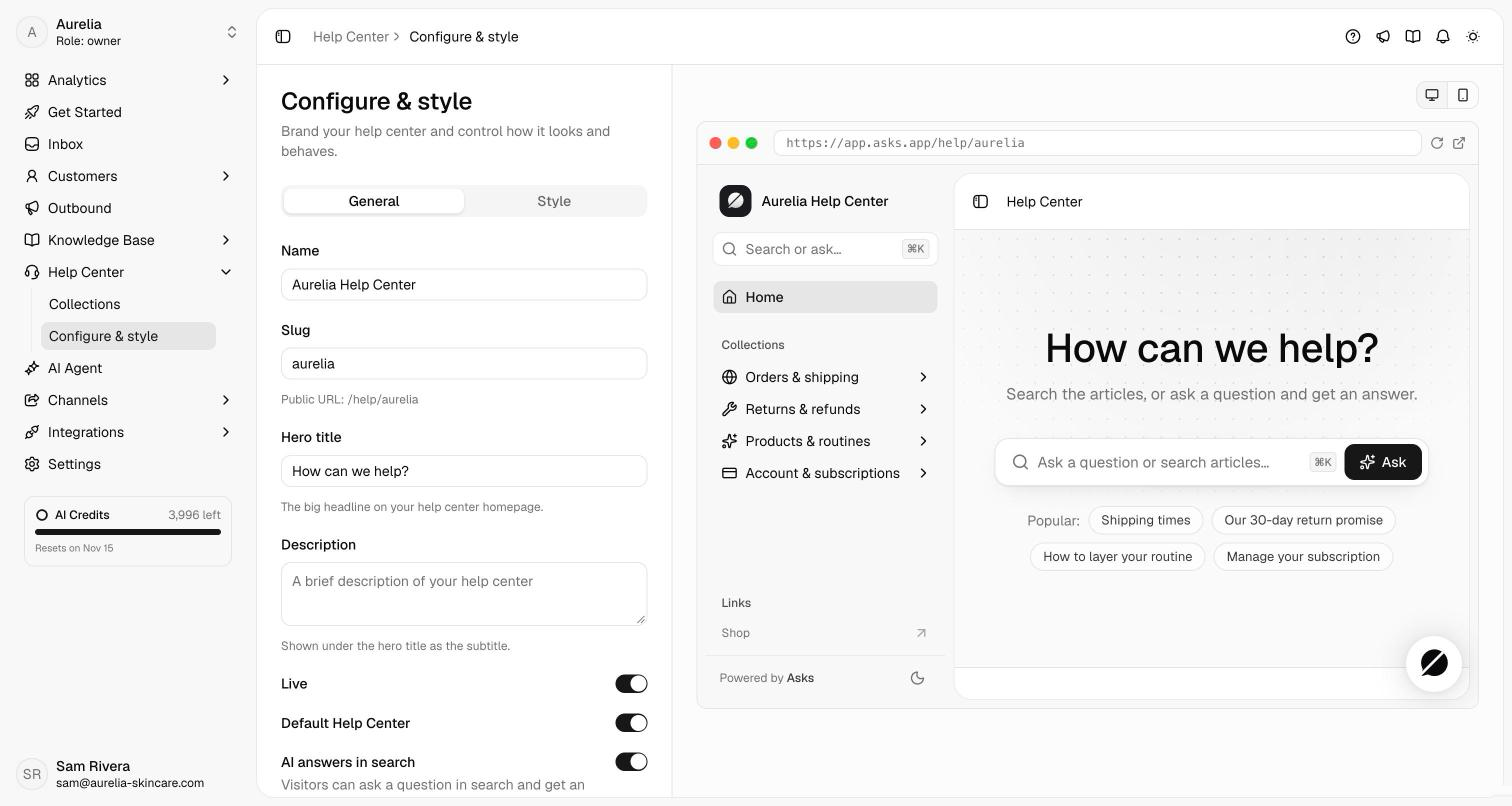
Turn on Live on the General tab. Until then, visitors get a 404, while your team can open a draft preview with the banner "Draft preview — only your team can see this." On Collections, the button reads Preview Help Center while the site is a draft and View Help Center once it's live.
Publish a collection only when it has articles in it. Empty collections make a help center feel abandoned; three collections with five solid articles each beat ten stubs.
What visitors see
- Sidebar. Every published collection, each opening to its articles. The current article is highlighted. On phones the sidebar opens from the menu button.
- Search. Click the search box or press
⌘K(Ctrl+Kon Windows, or/). Matching articles appear as you type, with the words you typed highlighted. Use the arrow keys andEnterto open one. - Ask AI. With AI answers in search on, the first row in search is Ask AI. Press
Enterand your AI agent answers in the search window, with its sources linked to your articles, suggested follow-ups, and related articles below. Visitors can ask follow-up questions in the same window. - Articles. A breadcrumb, the last-updated date, a Copy link button, an "On this page" outline that follows the reader, and previous / next links within the collection. When a visitor answers "No" to "Did this article answer your question?", they're offered Ask AI and Chat with us.
- Chat widget. With Show chat widget on, your live Chat widget sits on every help center page.
- Light and dark. Visitors can switch between light and dark from the bottom of the sidebar.
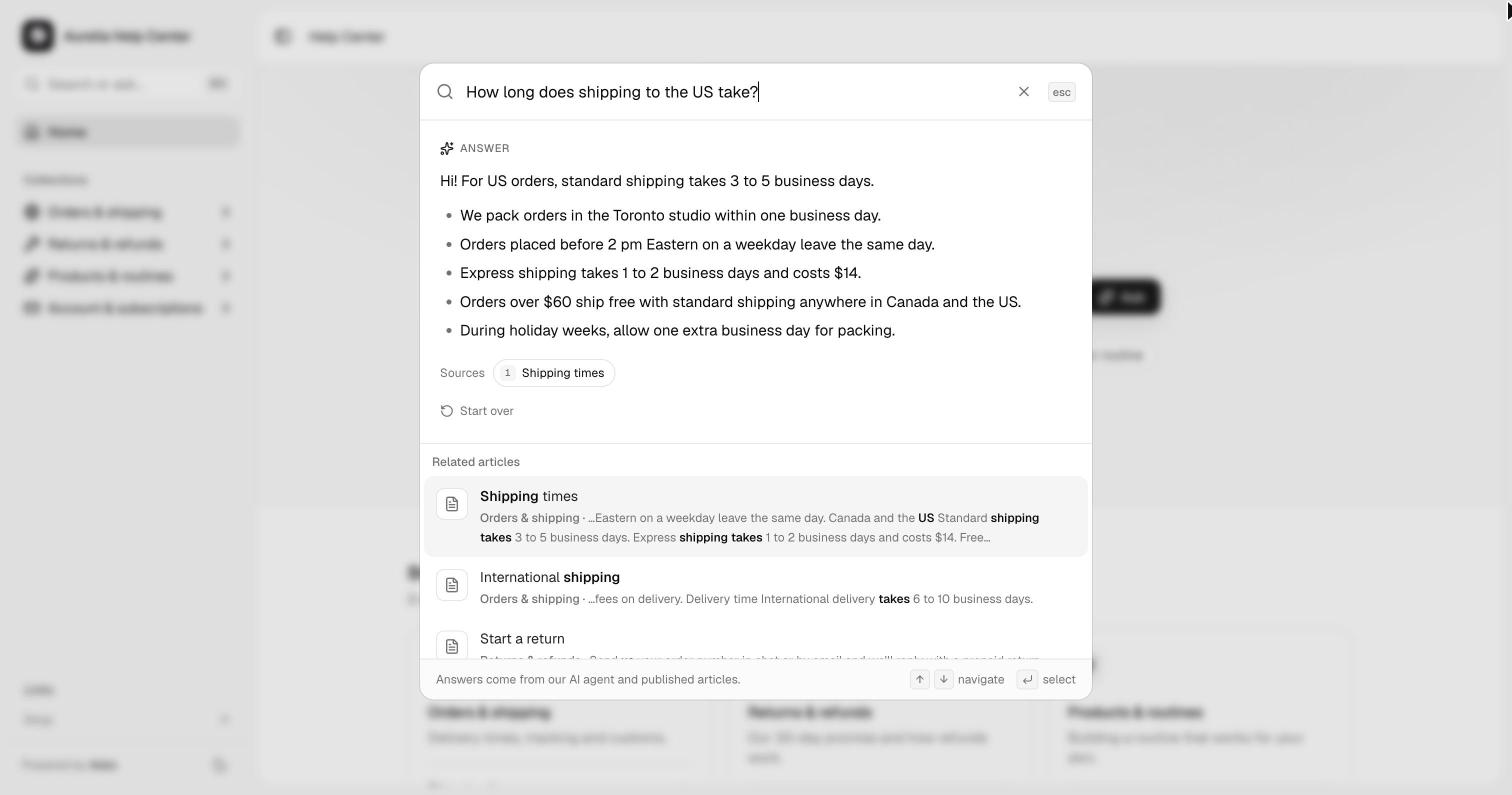
Ask AI is your AI agent, the same one that answers in your Chat widget. Each question starts a widget conversation that appears in your inbox, uses AI credits like any other reply, and can be handed over to your team. A visitor who then opens your Chat widget on the same page finds that conversation there. The agent answers from its whole knowledge, not only the help center's articles. It's available while your Chat widget is live and the agent is turned on for it.
Settings reference
| Setting | Tab | What it does |
|---|---|---|
| Name | General | Shown at the top of the sidebar and in the footer |
| Slug | General | Sets the public URL, /help/your-slug |
| Hero title | General | The headline on the home page (default "How can we help?") |
| Description | General | The subtitle under the hero title |
| Live | General | Publishes the site to everyone |
| Default Help Center | General | The help center the widget's Help space shows |
| AI answers in search | General | Lets visitors ask your AI agent from search (on by default; needs a live Chat widget and the agent turned on for it) |
| Show chat widget | General | Shows your live Chat widget on the help center pages (on by default) |
| Logo | Style | Upload a logo; defaults to your workspace logo |
| Accent color | Style | Tints the hero backdrop, the Ask button, links, and highlights; leave it empty for the neutral look |
| Header links | Style | Up to 4 links at the bottom of the sidebar |
| Show collection descriptions | Style | Show each collection's description on the home page |
| Show table of contents on articles | Style | Adds an "On this page" outline to articles |
| Show related articles | Style | Lists up to 5 more articles from the same collection |
| Footer text and footer links | Style | A short line about your company and up to 6 links |
Search ranks every published article by its title, description, and body. The sidebar reads "Powered by Asks" unless your workspace is on Premium or has the Remove branding add-on.
In the chat widget
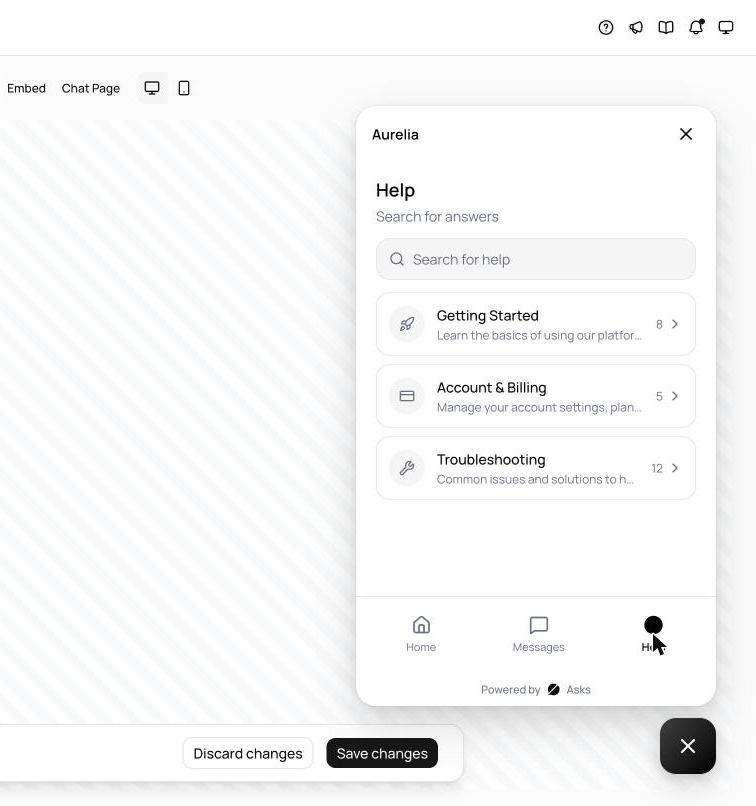
The help center also powers the Chat widget's Help space, so visitors can browse and search your articles inside the widget and start a conversation if they don't find what they need. In app.asks.app/channels/widget/content, open Home screen and add Help under Spaces, then use the Help Center section to turn on Show Help Center and set its title and subtitle. The Help space shows your live help center's published collections; until one is live, the dashboard preview shows sample articles. Spotlight and the Chat Page don't have a Help space.
Related
- Knowledge base articles — where help center articles are written.
- Widget customization — spaces and the widget's content settings.