Vouchers
Vouchers
Create discount codes like HEMAT10, with a percentage or fixed amount, limits and dates, and apply them to orders in chat, from the dashboard and through the API.
Commerce → Vouchers holds your discount codes. The AI agent applies a code the customer types in chat, your team applies one when it creates or edits an order, and the API and the MCP server apply it with voucher_code. The agent never suggests a code, so sharing them stays up to you. Asks checks the code's rules and counts each use with the order. Owners and admins create and change vouchers; members can see them.
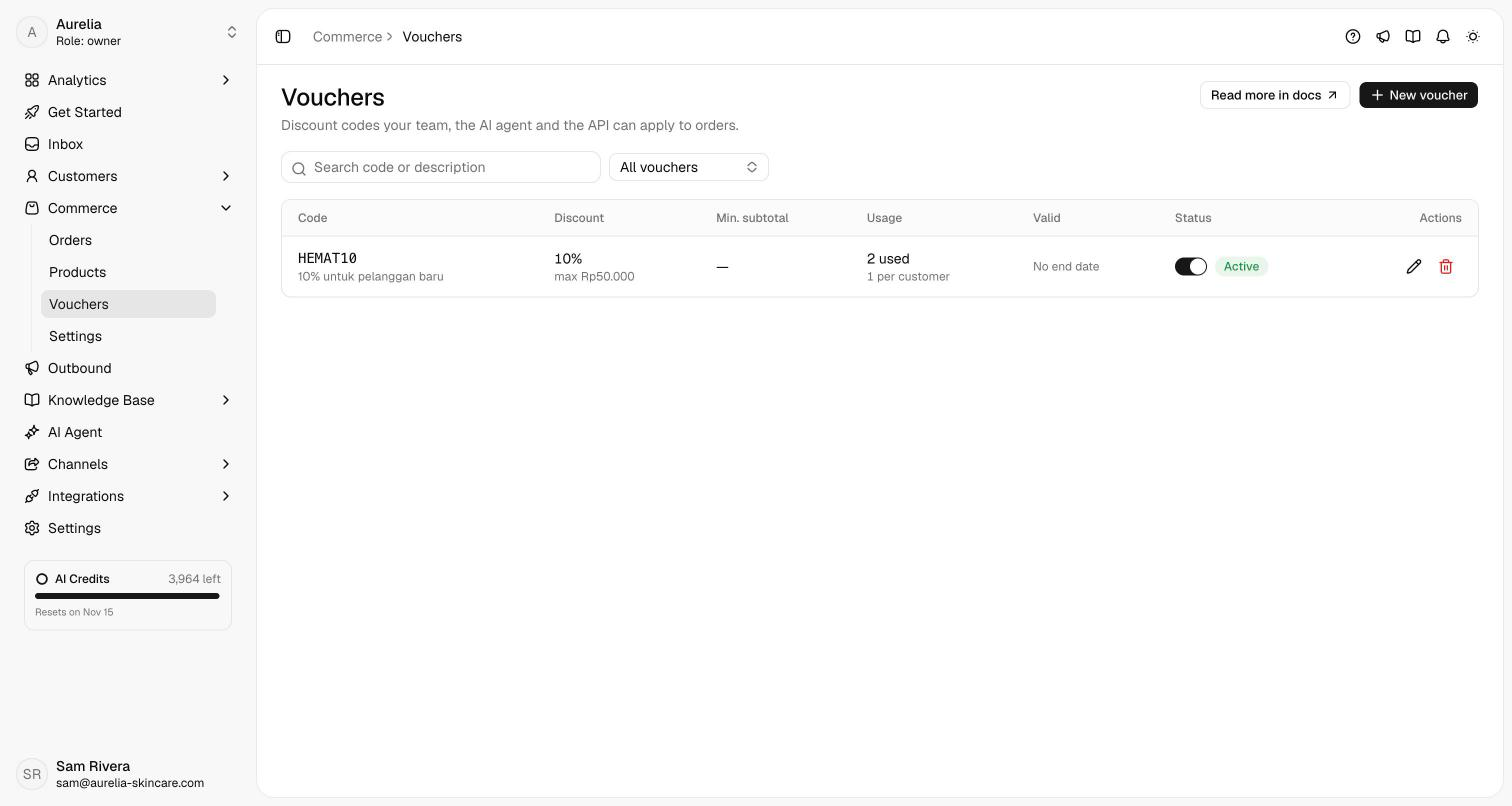
Create a voucher
Click New voucher.
Enter the Code: 3 to 30 letters, digits, - or _, such as HEMAT10. Codes aren't case-sensitive: hemat10 is the same voucher. Pick the Discount type:
- Percentage: Percentage off (1 to 100), with an optional Maximum discount in rupiah.
- Fixed amount: Amount off in rupiah.
Add a Description if it helps your team, such as 10% off for new customers.
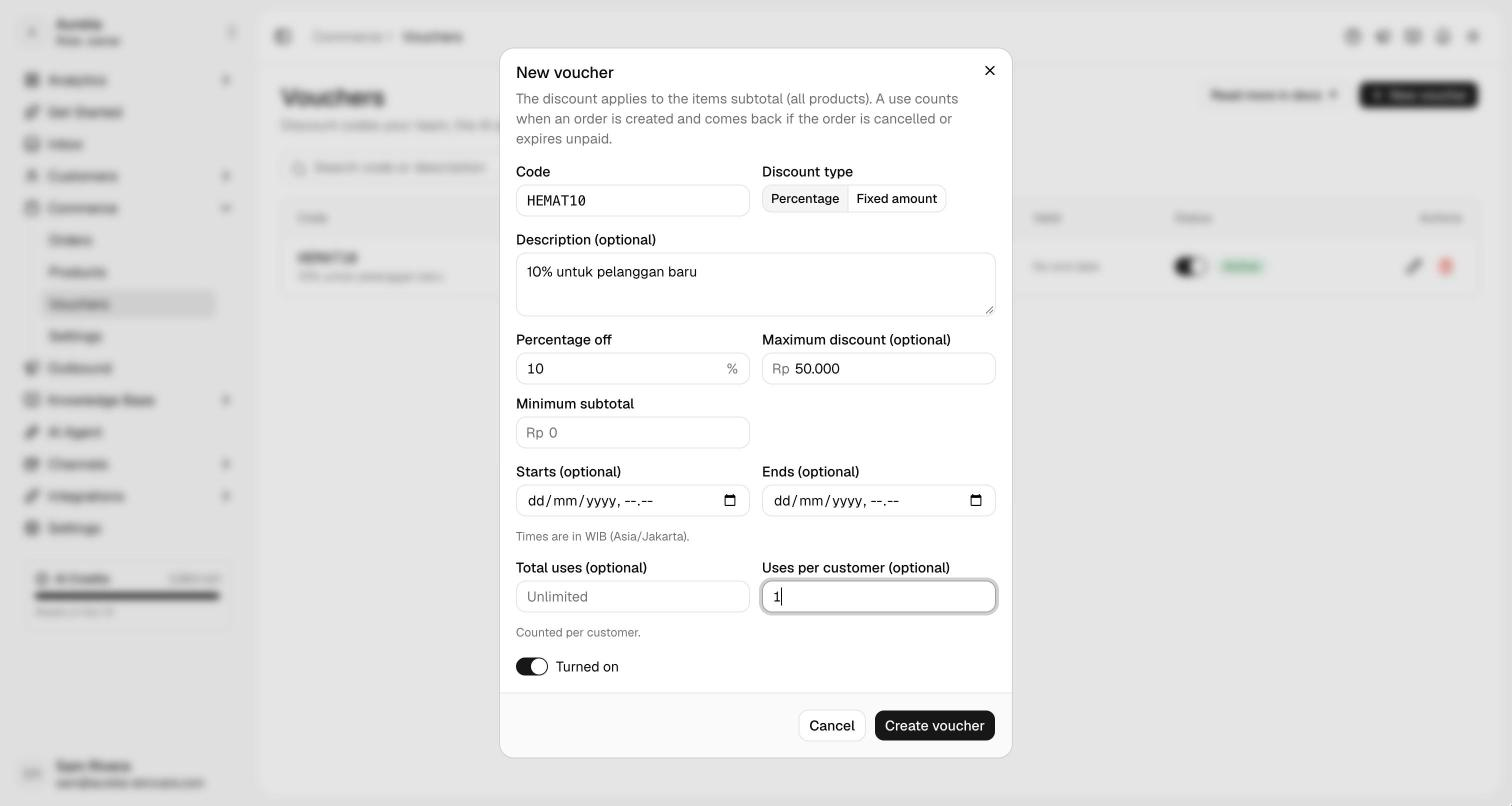
All optional:
- Minimum subtotal: the items subtotal an order needs before the code applies.
- Starts and Ends: when the code is valid, in WIB.
- Total uses and Uses per customer: how many orders can use it, in total and per customer. A per-customer limit needs the customer's phone or email on the order.
Keep Turned on switched on and click Create voucher.
How a voucher applies
- The discount comes off the items subtotal, on every product. It never covers shipping or tax, and a percentage is rounded down to whole rupiah.
- A voucher adds to any manual discount on the order; together they can't exceed the subtotal.
- A use counts when the order is created. It's given back when the order is cancelled or its payment expires unpaid, and counted again if a new payment link is issued for it.
- In chat, the agent shows the discount in the order summary, or tells the customer why the code doesn't apply. On Create order, type the code in Voucher and click Apply. If it can't be used, the field says why: it doesn't exist, it's turned off, it isn't valid yet or has ended, the subtotal is below the minimum, or it's used up for everyone or for this customer.
- Editing an unpaid order keeps its voucher and checks the minimum subtotal and limits again; you can remove it or apply another code.
- The order shows the code and its discount under Voucher & invoice, and the invoice or receipt lists it on the discount line.
Statuses
| Status | Meaning |
|---|---|
| Active | Turned on and usable now. |
| Scheduled | Turned on, but its start date hasn't come yet. |
| Ended | Its end date has passed. |
| Used up | It reached its Total uses. |
| Off | Turned off. Switch it back on at any time. |
To pause a voucher, turn it off. Delete voucher removes it for good; orders that already used it keep their discount. Voucher codes aren't readable through the API, so you can share them only where you choose.
Related
- Orders in chat — creating an order from a conversation.
- Edit and refund orders — changing an unpaid order.
- Commerce API —
voucher_codeonPOST /v1/orders.