Customers
Customers
A directory of everyone who has contacted you, matched across channels, with a full profile per customer and the leads and data your AI agent collected.
The customers directory at https://app.asks.app/customers lists everyone who has contacted you, on every channel. Asks matches each new conversation to an existing customer by email, phone number, Shopify customer ID, or channel account, and fills in what it learns on that one record. Someone who messages you on WhatsApp and later emails you lands on the same profile once their email is on it.
The directory
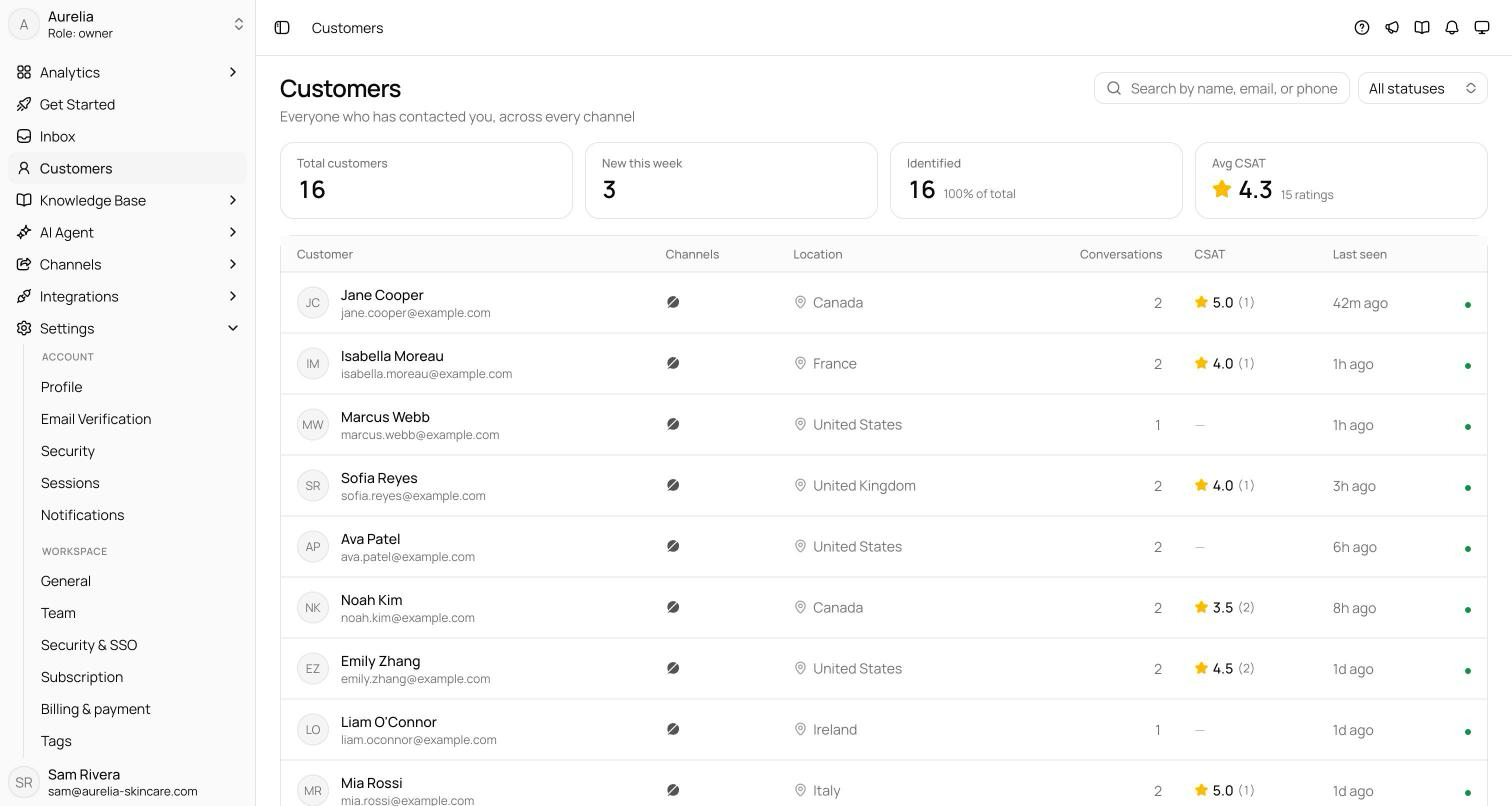
The page opens with four numbers: Total customers, New this week (first contact in the last 7 days), Identified (customers with a known email or phone), and Avg CSAT.
Below, the table shows each customer with their channels, location, conversation count, CSAT, last seen, and a status dot — Active, Inactive, or Archived. Search by name, email, or phone, and filter by status. Click a row to open the profile.
The customer profile
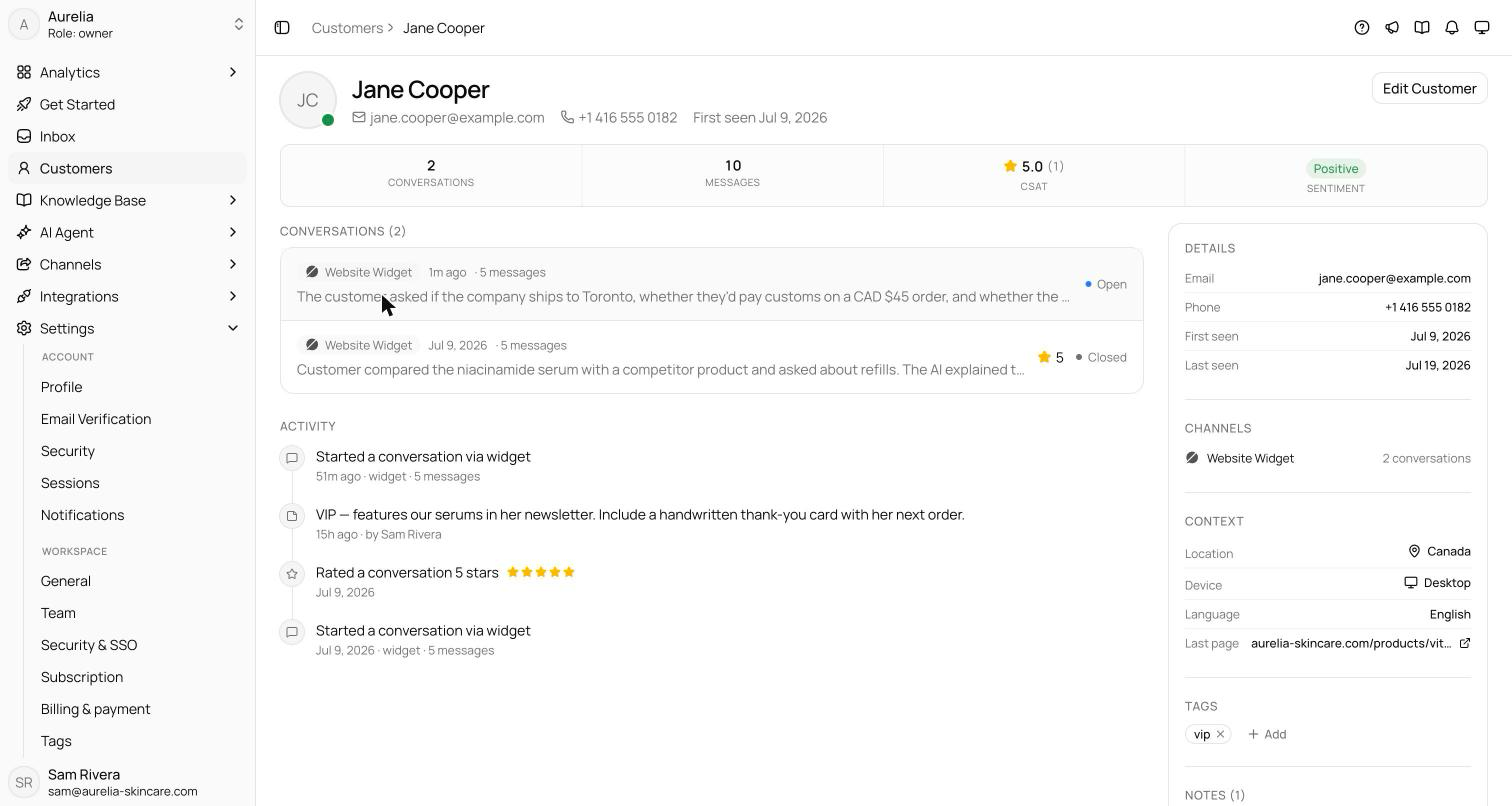
Each profile brings together everything Asks knows about one person:
- Stats — conversations, messages, CSAT, and overall sentiment.
- Conversations — their full history; click through to any of them in the inbox.
- Activity — a timeline of conversations, profile updates, collected data, notes, escalations, resolutions, reopens, and ratings, each marked with who made the change: a teammate, the AI agent, the API, or Asks automatically.
- Details — email, phone, first and last seen, and a Linked Shopify badge when their store account is connected.
- Channels — which channels they've used, with conversation counts.
- Context — location, device, language, and the last page they were on in the widget.
- Store activity — their recent Shopify storefront browsing (last 7 days), when your store's pixel is connected.
- Collected data and Collected submissions — what the AI agent gathered through data collection, including each lead form and Collect Data submission.
- Orders and Addresses — with Commerce: what the customer has paid in total, their orders, and their saved delivery addresses, which you can add to, edit, and set a default for.
- Tags and Notes — label the customer and leave notes for your team. Customer tags are free-typed; unlike conversation tags, they aren't limited to a workspace list.
Editing a customer
On the profile, click Edit Customer.
Profile holds the name, avatar, and status; Contact holds email and phone; Tags labels the customer for filtering.
Click Save changes. Every change is recorded in the activity timeline.
Email and phone are how Asks recognizes this person on other channels, so future conversations that carry them match this profile. Contact details also fill in on their own — when the AI collects an email mid-conversation or a channel provides a profile, the record updates without your involvement.
The customer panel in the inbox is a compact view of this same record. Open the full profile from there with the Profile button.
Leads and collected data
Two more pages under Customers in the sidebar list what your AI agent collected, newest first:
| Page | What it lists |
|---|---|
| Leads | Contacts captured by the Collect Leads action: name, email, phone, source (Form or Conversation), channel, and when. |
| Collected data | Answers gathered by your Collect Data actions, with the action, customer, data, and whether the submission is Complete or Partial. Filter by action. |
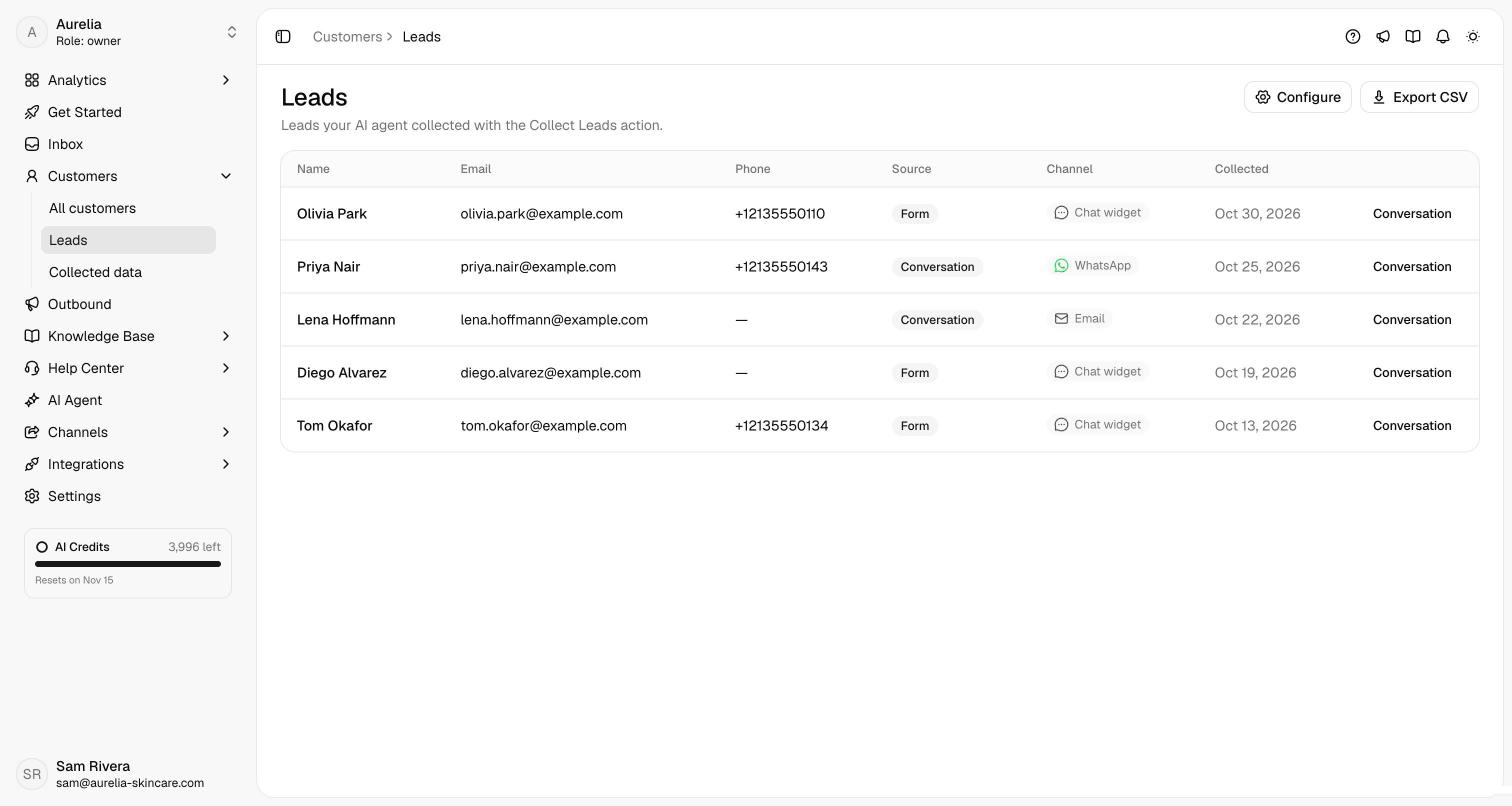
Both pages have Export CSV, a Configure link to the action's settings under AI agent, and links to each customer and conversation. Set the actions up in Data collection.
Related
- Data collection — teach the AI what to ask for.
- Inbox overview — where these customers' conversations live.
- Customers API — create, read, and update customers programmatically.