Collect Data
Collect Data
Define actions that have the AI agent gather custom fields in conversation — an order number before a return, company size for a quote.
Collect Data gathers the specific details your team needs to act on a request. Each action has its own trigger and its own fields: a "Return request" action might collect the order number and the reason, a "Quote request" action the company size and timeline. The agent asks for them naturally while it helps, saves each submission, and delivers it to your Collected data list, the customer's profile, and any email addresses or webhooks you choose. Configure it at app.asks.app/ai-agent/collect-data.
For contact details — name, email, phone — use Collect Leads instead. Only owners and admins can create or change actions.
Create an action
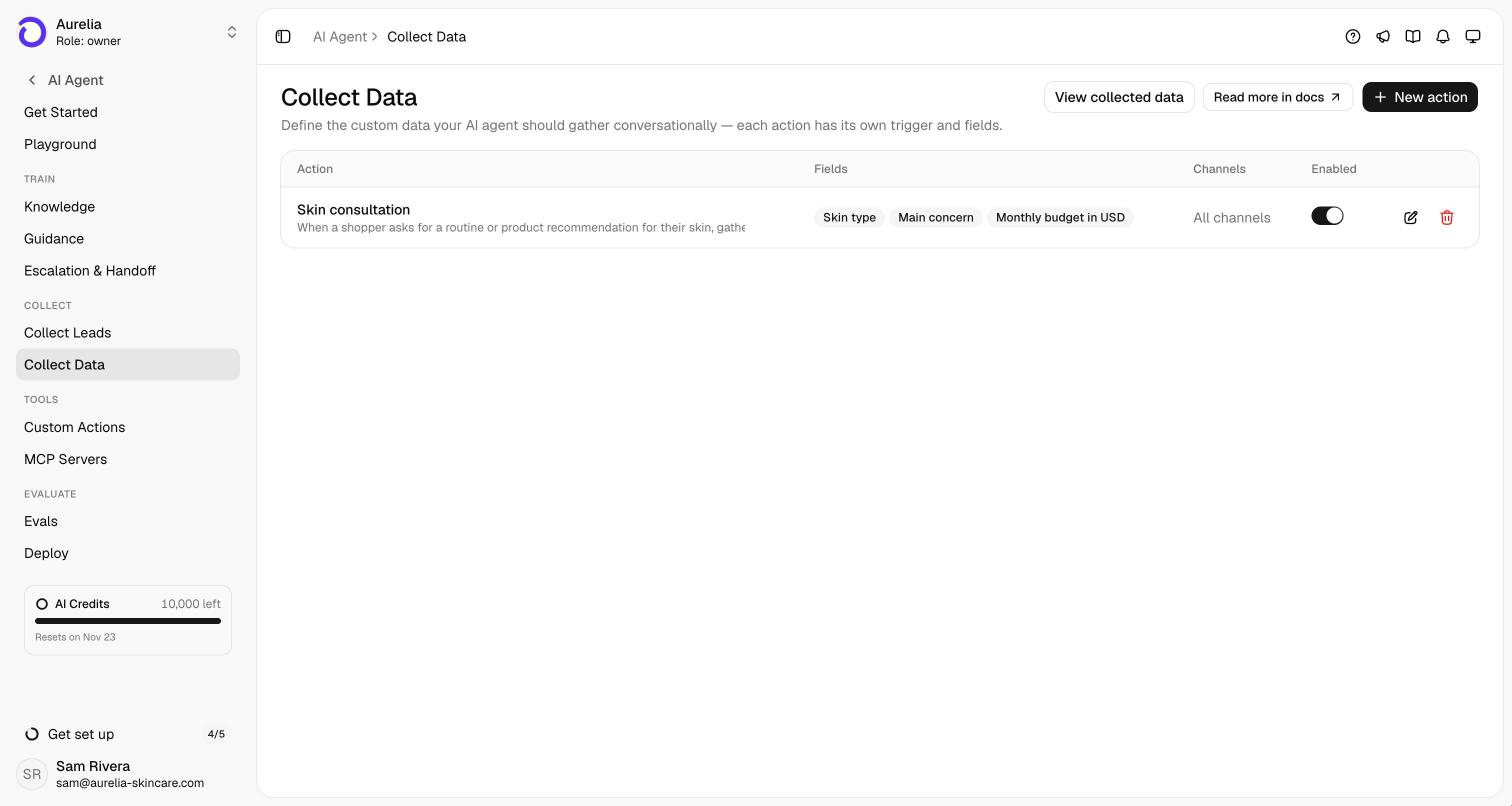
On the Collect Data page, select New action (or Set up Collect Data if you have none yet). The page lists your actions with their fields, channels, and an Enabled switch for each.
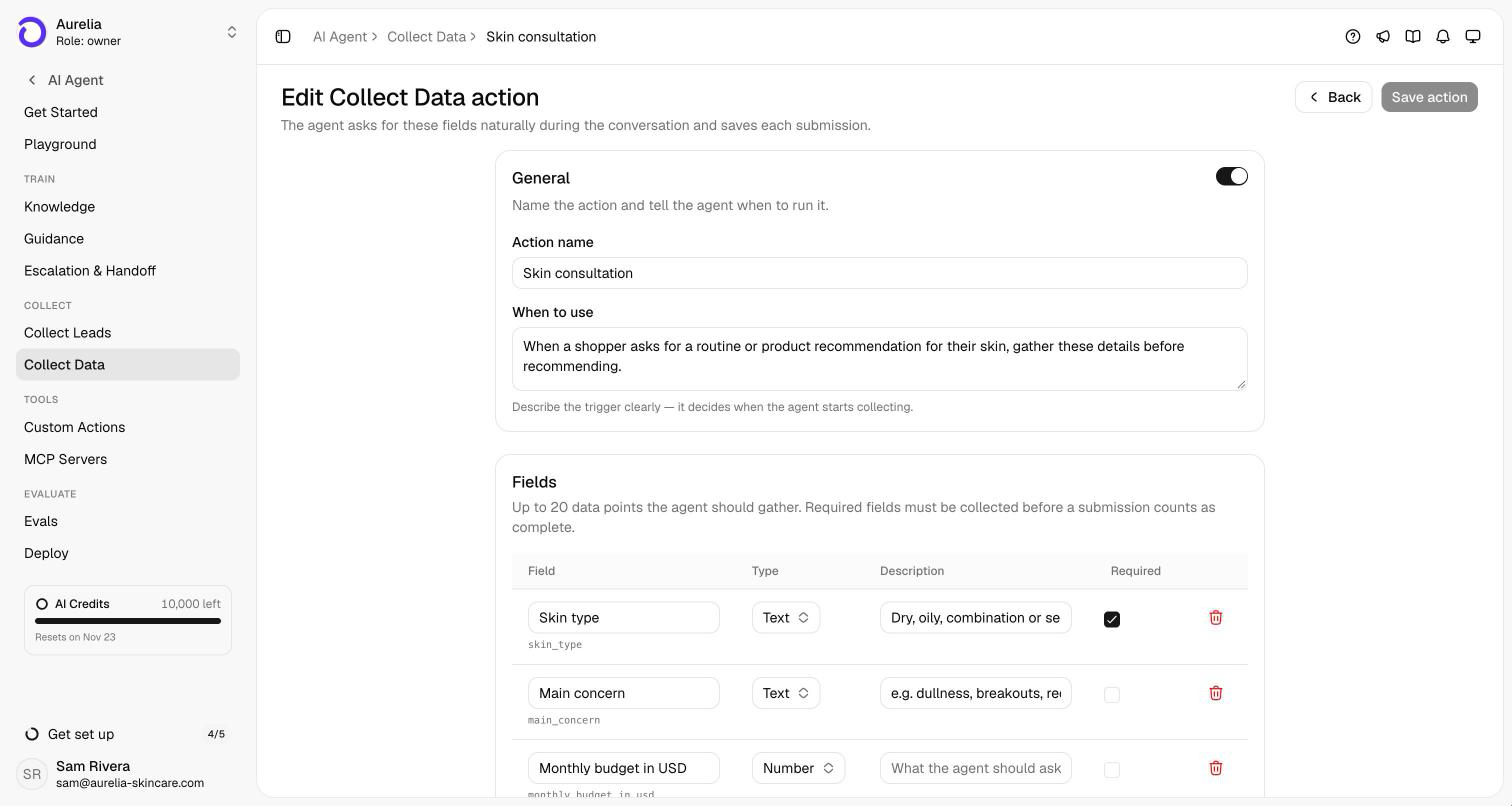
Under General, give the action an Action name (for example, "Return request") and describe When to use it — "when a customer wants to return or exchange an order". The description decides when the agent starts collecting, so make it specific.
Under Fields, add up to 20 data points. Each field has a label (its key is generated from the label), a Type, a Description that tells the agent what to ask for, and a Required checkbox. A submission counts as complete once every required field has a value.
Destinations emails each completed submission to the addresses you add. Channels runs the action everywhere by default; switch it on to pick specific channels. Select Save action.
Field types
| Type | What the agent saves |
|---|---|
| Text | The answer as stated. |
| Number | A number, such as a quantity or an order total. |
| Yes / No | A yes or a no, understood in the customer's language. |
| Date | The date the customer gives. |
| A valid email address. |
A workspace can have up to 10 actions. Deleting an action stops it immediately; data it already collected stays in the Collected data list.
How the agent collects
The agent gathers fields conversationally on every channel — there's no form for Collect Data. It asks for one or two missing items per message, required ones first, and offers each optional field once before it wraps up. It never asks again for a field the customer already answered, never invents a value, and never asks for sensitive data such as passwords, card numbers, or government IDs. Collecting the details is how your team follows up, so the agent hands the conversation over only when the customer asks for a person or one of your rules says so.
Where submissions go
- Customers → Collected data — every submission at app.asks.app/customers/collected-data, filterable by action, with the customer, the data, a Complete or Partial status, and when it was collected. Export CSV downloads it.
- The customer's profile — a Collected data section lists their submissions.
- Email and webhooks — your destination addresses, and a
data.collectedwebhook event Business and up when a submission completes.
Test a new action in the Playground by playing the customer who meets its trigger. Saves there are simulated, so nothing lands in your lists.
Related: Collect Leads, Custom actions, Customers.