Model & guidance
Model & guidance
Choose the AI model tier, name the agent, set tone and response length, and add custom instructions.
The Guidance page controls how the agent thinks and how it sounds: the name it goes by, which model tier it runs on, the tone and length of its replies, and any standing instructions of your own. If you set up with the onboarding wizard, everything here starts from the draft the wizard wrote from your site.
Identity
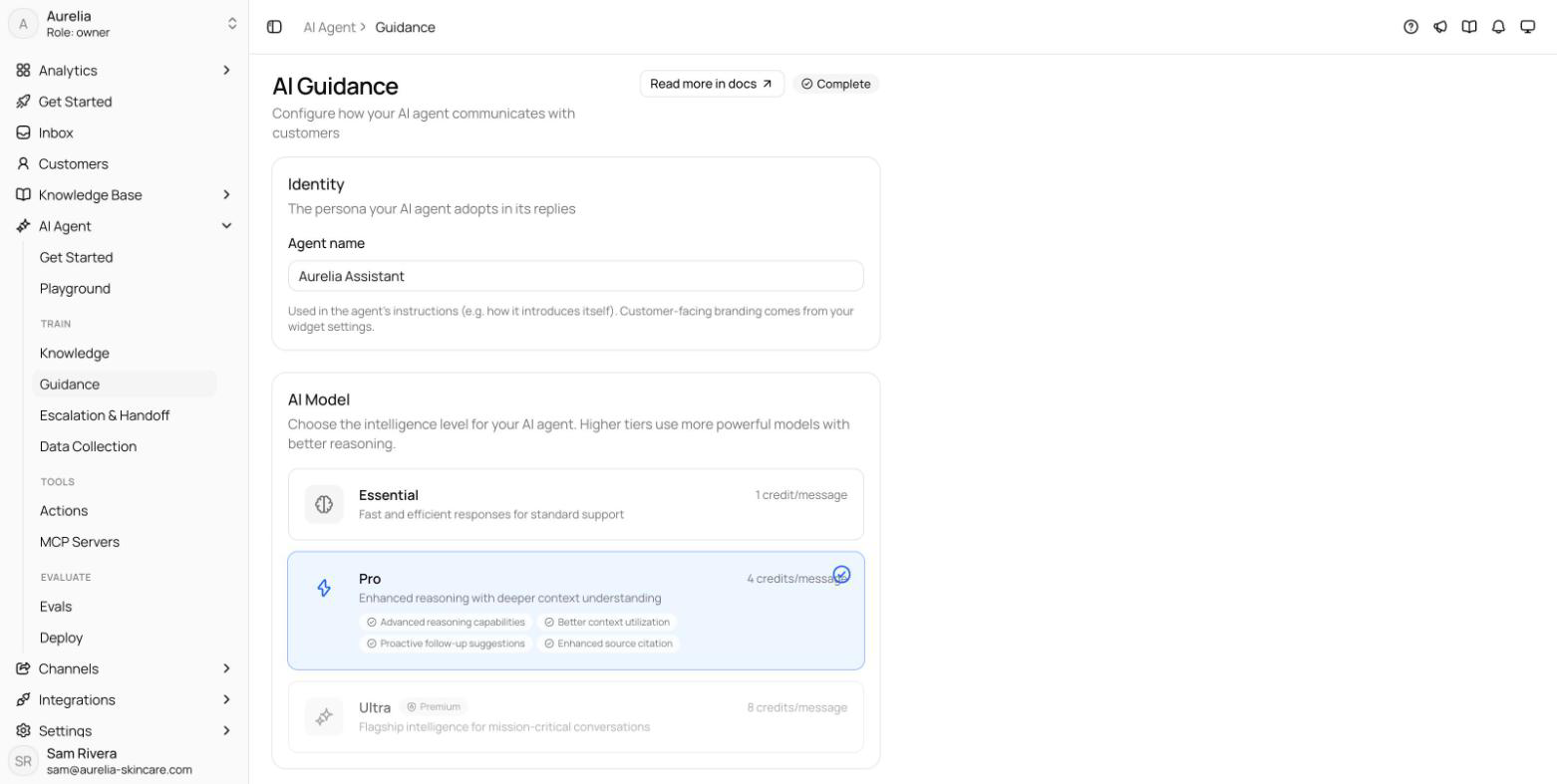
The Identity card sets the Agent name — the persona the agent adopts in its replies, used in its instructions for things like how it introduces itself. Customer-facing branding — the avatar and colors customers see in chat — comes from your widget settings, not from here.
AI model tiers
Each tier trades credits for capability. The tier applies to every AI-sent message, on every channel, and the selected tier shows a short list of what it's good at.
| Tier | Credits per message | Best for | Plans |
|---|---|---|---|
| Essential | 1 | Fast and efficient responses for standard support | Every plan, including Free |
| Pro | 4 | Enhanced reasoning with deeper context understanding | Every paid plan |
| Ultra Premium | 8 | Flagship intelligence for mission-critical conversations | Premium and Enterprise |
New agents start on Essential. Tiers above your plan show a lock with the plan that unlocks them — Starter for Pro, Premium for Ultra — and selecting one opens the upgrade prompt instead of changing the tier. On Free, both Pro and Ultra are locked: the Free plan runs Essential only. Monthly credit allowances per plan are in Limits & quotas.
After a downgrade
If your plan no longer includes the saved tier — for example, the agent was on Pro and the workspace moved to Free — the agent answers on the highest tier your plan includes, and each reply costs that tier's credits. The AI Model card says so ("Your plan runs Essential — upgrade to Starter to use Pro again"), keeps the saved tier selected with its lock, and marks the tier replies run on In use. Your saved tier is kept: upgrade to a plan that includes it and the agent switches back on its own. The rest of the page saves as usual, and you can switch to a tier your plan includes at any time.
Start on Essential and move up only if answer quality on your real questions demands it — an Ultra reply costs eight times an Essential one. The Playground shows the tier your replies run on under Agent setup, and tests run on that same tier, so re-run them after you switch.
Response style
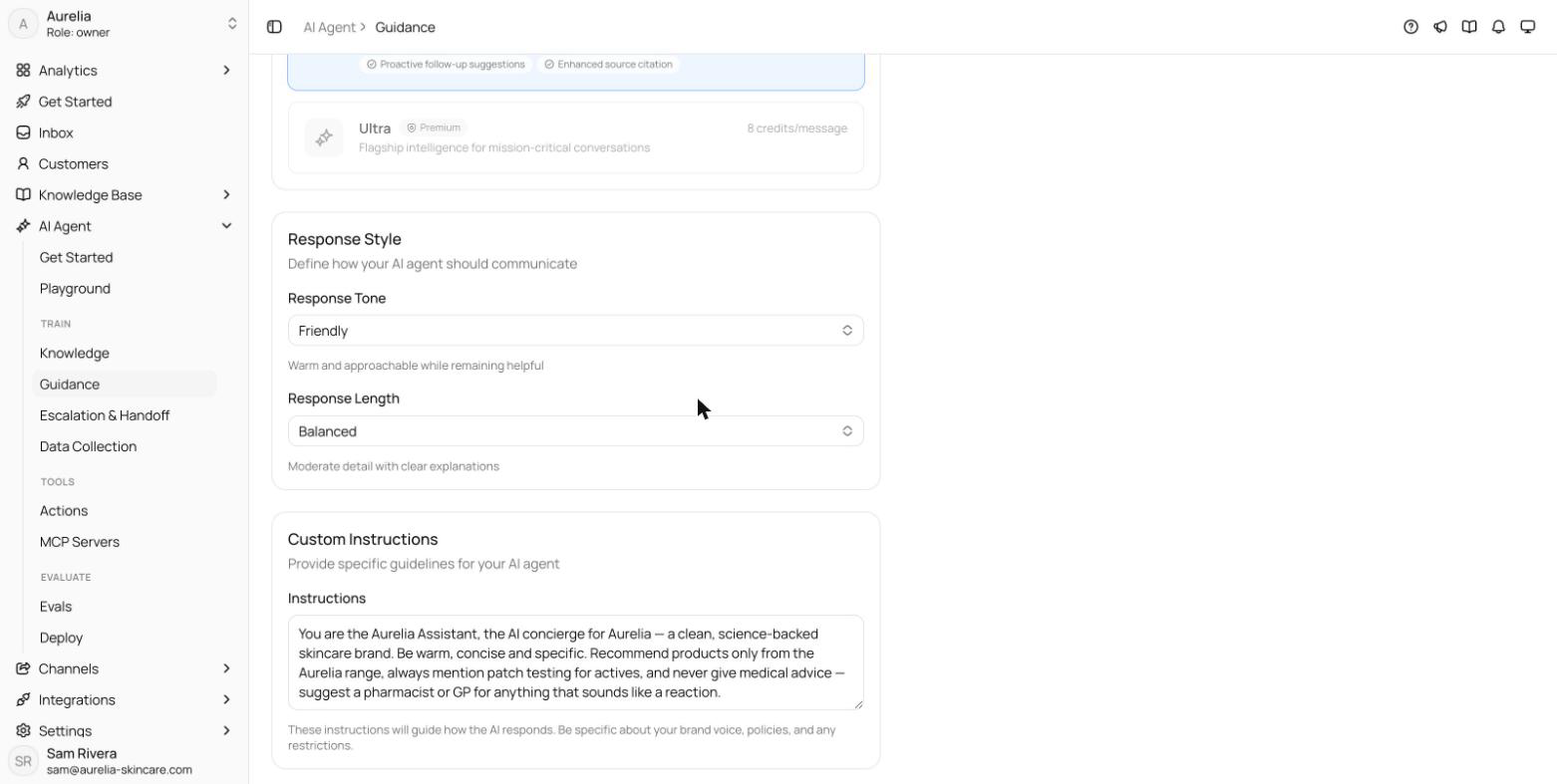
Two settings shape every reply; a one-line description under each select updates as you choose.
Response Tone
| Option | Behavior |
|---|---|
| Professional | Formal and business-appropriate language |
| Friendly | Warm and approachable while remaining helpful |
| Casual | Relaxed and conversational tone |
Response Length
| Option | Behavior |
|---|---|
| Concise | Brief, to-the-point responses |
| Balanced | Moderate detail with clear explanations |
| Detailed | Comprehensive responses with full context |
Custom instructions
A free-text field, up to 4,000 characters, that the agent follows on top of its standing guidance (the same limit applies to custom_instructions in the API and the MCP asks_update_agent tool). Be specific about your brand voice, policies, and restrictions — vague instructions produce vague behavior. If the onboarding wizard drafted your agent, this field holds the persona and instructions it wrote from your site; edit it like any other text.
Instructions that work well:
- Mention our 30-day money-back guarantee whenever pricing comes up.
- Never discuss competitor products; steer back to what we offer.
- For technical questions beyond the docs, suggest booking a call
  with support instead of guessing.
Custom instructions steer style and policy — they don't add facts. The agent still answers from your knowledge base, so put product information there, not here.
Save with the "You have unsaved changes" bar that appears at the top of the page once you change something; changes apply to the next AI reply, and saving marks the guidance step done on the Get Started page. Related: Playground, Tests, Escalation & human handoff.