MCP servers
MCP servers
Connect external MCP servers so the AI agent can use their tools in customer conversations.
The Model Context Protocol (MCP) is an open standard for exposing tools to AI models. Connect an MCP server — your own or a vendor's — and the Asks agent discovers its tools and can call the ones you enable during customer conversations, on every channel and in the Playground. Manage servers at app.asks.app/ai-agent/mcp-servers.
MCP servers are part of every paid plan: 1 server on Starter, 3 on Business, and 10 on Premium. The Free plan doesn't include them: on Free the page shows an upgrade card, and Add server carries a lock and opens the upgrade prompt instead of the dialog. Once every server slot is used, Add server offers an upgrade the same way. See Limits & quotas. Only workspace owners and admins can add, change, or remove servers; other roles see the page read-only.
This page is about the agent consuming external MCP tools. The reverse — connecting Claude, ChatGPT, Codex or Cursor to your Asks workspace — is the Asks MCP server, under Integrations → MCP server; the page's How it works box links there.
Add a server
Give it a name (for example "Acme CRM tools") and the server URL, such as https://mcp.example.com/mcp. Only https:// URLs work, and the server must be reachable on the public internet — localhost and private networks are not supported.
No authentication, Bearer token, or API key header. For an API key you also name the header (for example x-api-key). Secrets are encrypted at rest and never returned to the dashboard — and changing the server URL clears the stored secret so it's never sent to a new host.
Select Connect. Asks connects to the server and discovers its tools with an MCP tools/list call (up to 40 tools per server). On success you'll see how many tools were found and that they're now live in customer conversations; all of them start enabled.
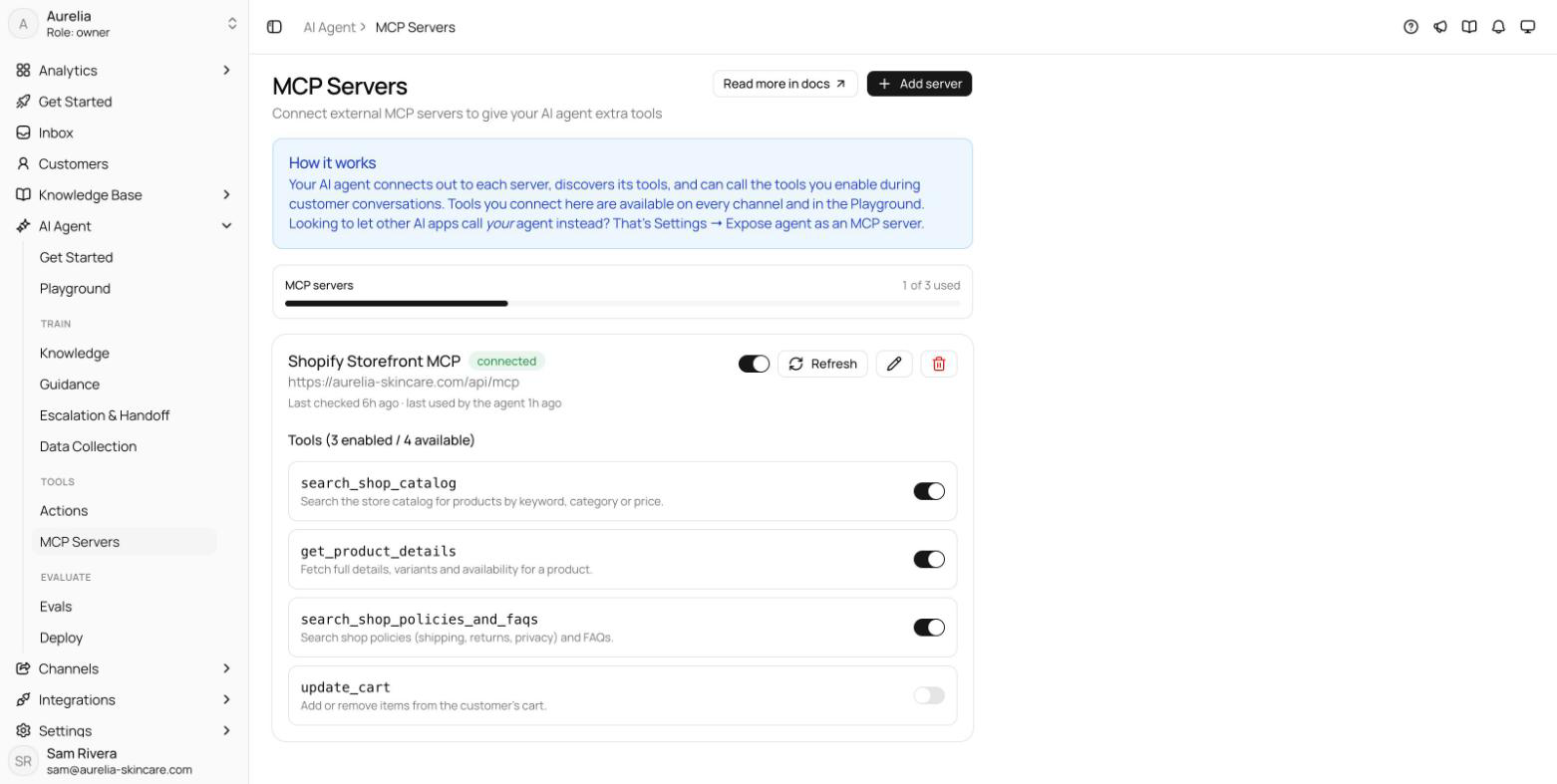
Manage tools
Each connected server shows its status — connected, error, or disabled — with a "Last checked" line and, once the agent has called it, when it was last used. The tools list reads "Tools (N enabled / N available)" with a switch per tool: disable any tool you don't want the agent calling; only enabled tools are offered to the model. The Enable server switch pauses the whole server — its tools stop being offered — without deleting anything. Refresh re-runs discovery after the server's tool list changes, and removing a server cuts the agent's access to its tools immediately and deletes the stored secret.
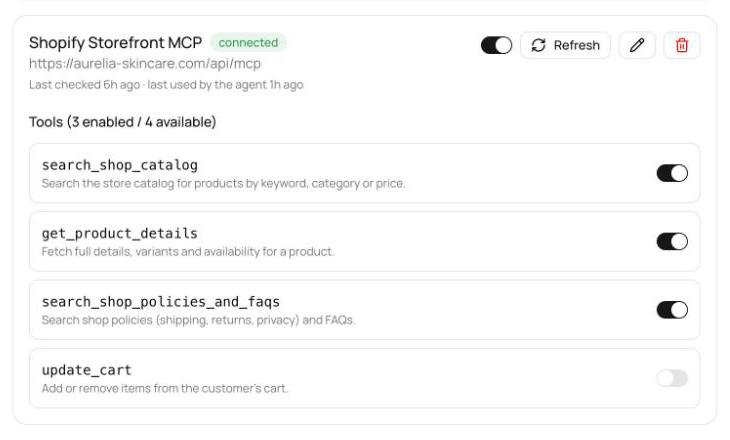
After connecting, open the Playground and ask a question that should hit one of the new tools. If the server shows an error badge instead, the card tells you what to fix — rejected credentials, a URL that isn't an MCP endpoint (most end in /mcp), a timeout, or a server that isn't publicly reachable — then hit Refresh.
How the agent uses MCP tools
Enabled tools join the agent's toolbox alongside custom actions, Calendly actions and built-ins — up to 60 MCP tools across all of a workspace's servers. The tool's own name and description tell the model when to call it — so a well-described server needs no extra prompting. If a tool call fails mid-conversation, the agent answers without it rather than exposing the error to the customer, and the outage shows up on the server card as an error status with the last error message.
MCP tool calls are real everywhere, including the Playground — unlike custom write actions, they are not simulated there. Test tools that change data against a test account.
Prefer custom actions when the capability is a plain HTTP call against your own API; reach for MCP when a system already speaks the protocol or ships many tools at once.