Overview
Channels overview
Every place your customers can reach you, and how each one connects to Asks.
Channels are where conversations start. Your AI agent, your team inbox, and your knowledge base are shared across all of them: connect a channel and its messages flow into the same Inbox, answered by the same agent with the same knowledge.
You manage channels at Channels in the dashboard. Each channel has a card with its status and a Manage or Connect button. A live channel reads Active, a website channel that's switched off reads Off, and a connected account can also show Connected, Pending, or Error. Shopify is managed under Integrations → Shopify, because it adds store data to every channel rather than being a place customers write to.
Availability — the Chat widget, Spotlight, the Chat Page, WhatsApp, Instagram, Facebook Messenger, Telegram, Slack, email, and the Shopify integration are live for every workspace. Discord isn't available yet: it isn't listed in the dashboard yet, and it appears there for everyone when it launches.
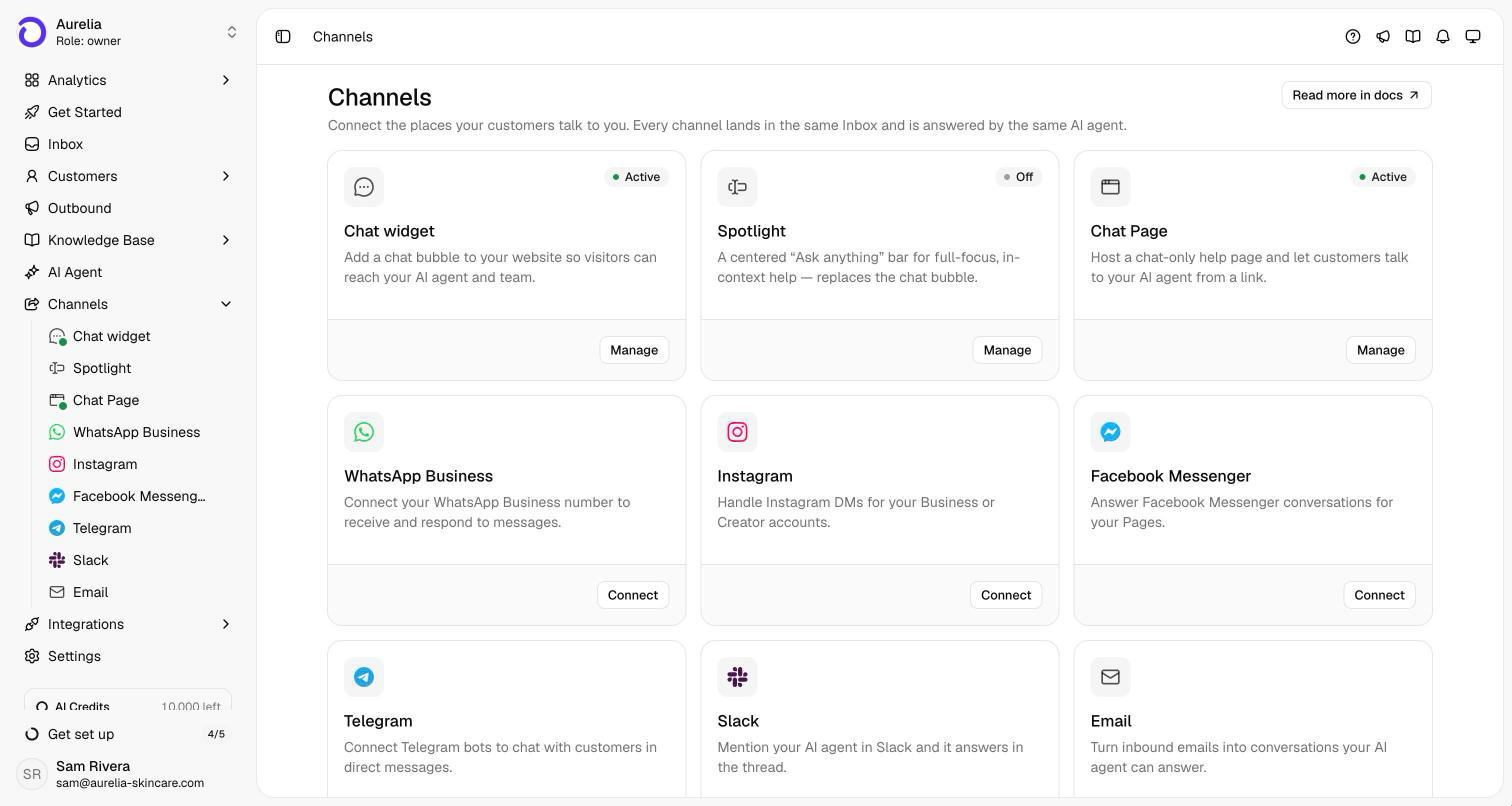
All channels
| Channel | What it is | How it connects |
|---|---|---|
| Chat widget | A chat launcher in the corner of your site | Embed script, npm package, or Shopify theme embed |
| Spotlight | A floating "Ask anything" bar on your site, in place of the chat launcher | The same embed script |
| Chat Page | A hosted, chat-only page at app.asks.app/c/your-slug, no website needed | A link you share |
| Reply on your WhatsApp Business number | Meta embedded signup | |
| Answer DMs to your Instagram Business or Creator account | Instagram login | |
| Facebook Messenger | Answer Messenger conversations on your Facebook Page | Facebook login |
| Telegram | Answer Telegram direct messages through your own bot | Bot token from @BotFather |
| Slack | Answer mentions and DMs in Slack, and work conversations from Slack threads | "Add to Slack" |
| Answer your support address in the customer's own email thread | Forwarding rule | |
| Shopify | Live products, policies, carts, and order status for the agent, plus a one-click widget install on your storefront | Shopify App Store install |
| Discord | A Discord bot in your server (not available yet) | Bot token |
Website channels
The Chat widget, Spotlight, and the Chat Page are three ways to put your agent on the web, and they share one brand: logo, colors, theme, text size, and branding are set once and apply to all three. Each channel has its own opening text and conversation starters.
- Chat widget or Spotlight — both run from the same embed script, so your site shows one of them at a time. Turning one on replaces the other after you confirm. No code changes are needed to switch.
- Chat Page — a separate hosted page with its own on/off switch. It stays available whether or not the widget on your site is on.
Conversations from all three arrive in the Inbox labeled Chat widget.
One agent, per-channel control
The AI agent is switched on per channel. At AI agent → Deploy, AI Agent Status turns the agent on for the workspace, and each channel has its own toggle under Deploy to Channels. The Chat widget toggle covers all three website channels. You can let the agent answer on your site while keeping email human-only, or roll it out one channel at a time. Channels without the agent still deliver every message to your Inbox for your team to answer.
Escalation rules, business hours, and handoff behavior are shared too — configure them once under Escalation and they apply wherever the agent is deployed.