Connect an Instagram professional account so your AI agent answers DMs, within Meta's messaging windows.
The Instagram channel connects your Instagram account's direct messages to Asks. Customers DM your account; the AI agent answers, and conversations land in the inbox. The integration covers DMs, including story mentions and story replies. Comments on your posts aren't part of it.
You can connect more than one Instagram account; each becomes its own channel.
Prerequisites
- An Instagram professional account — Business or Creator. Personal accounts can't connect; switch the account type in the Instagram app first.
- The Owner or Admin role in your Asks workspace.
Connect Instagram
Go to app.asks.app/channels/instagram and click Connect Instagram. You're redirected to Instagram's official Business Login.
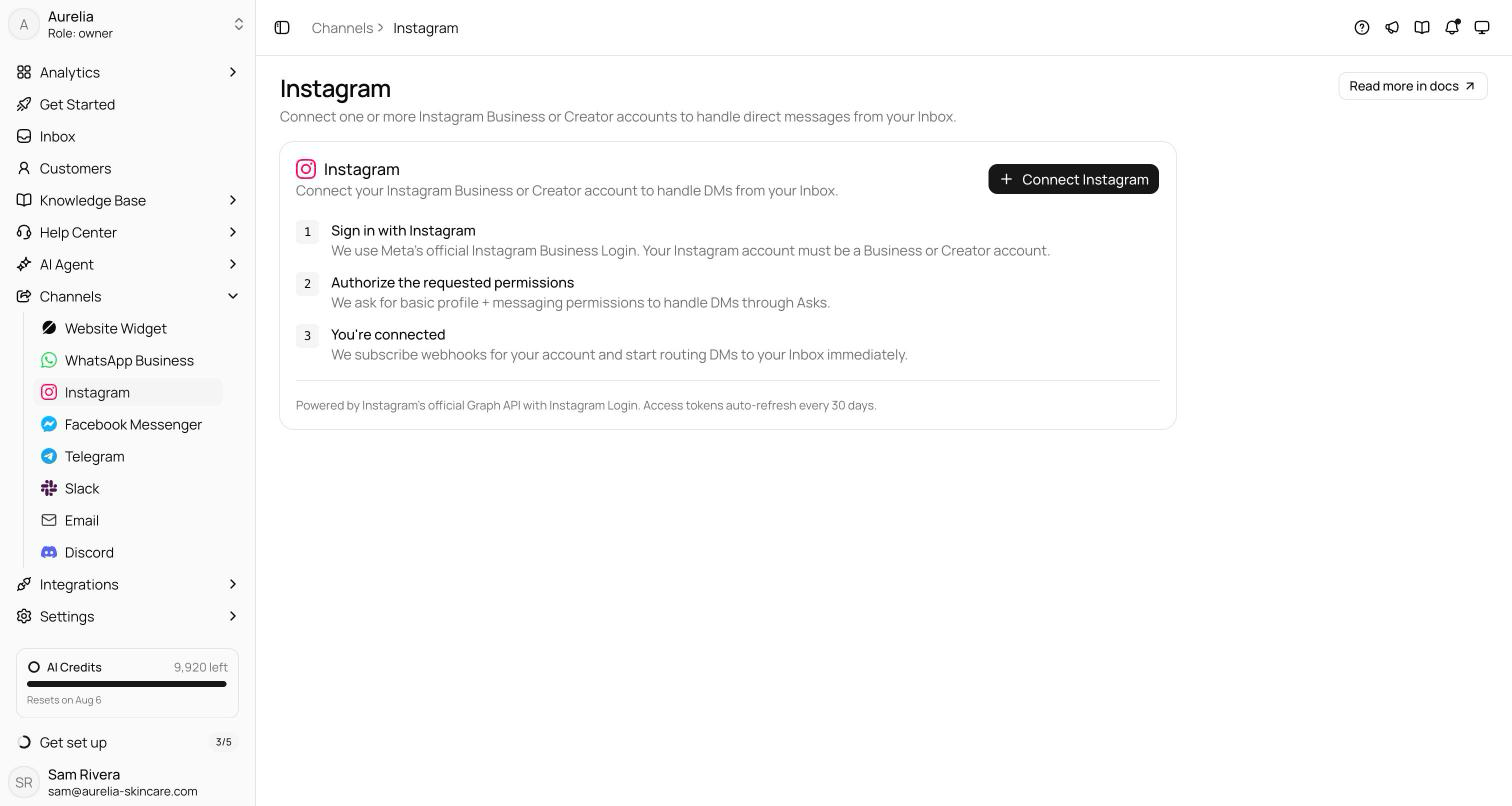
Asks asks for basic profile access and messaging permissions — enough to handle DMs, nothing more.
Asks subscribes webhooks and starts routing DMs to your inbox immediately. Access renews automatically; if the connection ever breaks, the channel page shows a Reconnect prompt and Asks emails you.
Connecting an account doesn't switch the AI agent on for Instagram. Until you do, the channel page shows "Your AI agent isn't answering on Instagram yet" and DMs wait for your team. Click Turn on AI for Instagram there, or switch on Instagram under AI Agent → Deploy.
Verify it works — DM your Instagram account from another account. The message should appear as a conversation in your inbox, with the AI agent's reply showing up in the Instagram thread.
How messaging works
Instagram enforces Meta's messaging windows, and Asks applies them for you. A banner above the inbox composer shows which window the conversation is in and how long is left.
- Within 24 hours of the customer's last message — the AI agent and your team can reply freely. A customer reacting to one of your messages also reopens this window.
- From 24 hours to 7 days — only a human agent may reply (Meta's human-agent window). Asks sends your team's replies under it automatically; the AI agent never uses it.
- After 7 days — the conversation can't be replied to from Asks until the customer writes again.
Instagram has no message templates, so Asks can't reopen a closed conversation for you.
The AI agent's replies use Instagram's own formats: link buttons, product cards with a photo and a button, and quick-reply chips. Media works in DMs — images, video, audio, and reels all land in the inbox.
The thread stays in sync with Instagram: emoji reactions, message edits, and read receipts carry over, and if a customer unsends a message it's removed in Asks too. Replies your team sends from the Instagram app or Meta Business Suite are mirrored into the same Asks conversation, labeled with where they were sent from.
What shows in the inbox
Messages arrive with their real content. A story mention or a reply to your story shows the story itself while Instagram still serves it, and shared posts and reels show a preview with View on Instagram. A conversation that starts from an ad, an ig.me link, or your shop shows where it came from. Customers appear under their Instagram name, never a numeric ID. Disappearing photos and videos can only be viewed in the Instagram app.
Disconnecting
Disconnect on the channel page unsubscribes Asks and revokes its access; conversations stay in your inbox. If you instead remove Asks from your Instagram account settings, the channel is disconnected automatically and your workspace is notified. A data-deletion request from Instagram permanently deletes the channel and its conversations.
Troubleshooting
"Personal accounts can't connect"
Your Instagram account is a personal account. Switch it to Business or Creator in the Instagram app (Settings → Account type), then connect again.
The AI agent doesn't reply
Check that Instagram is on under AI Agent → Deploy. If the customer's last message is more than 24 hours old, that's Meta's policy at work — only a human agent may reply until day 7. Answer from the inbox.
I can't reply at all
After 7 days with no customer message, Meta closes the conversation. It reopens as soon as the customer writes again; until then you can still reply directly in the Instagram app.
Replies fail and the banner says another app controls the conversation
Meta lets one app at a time own an Instagram conversation. If another connected tool has taken control, replies from Asks may fail until it hands the conversation back. Messages received in the meantime still appear in the inbox.
Comments on my posts don't show up
Expected. The integration handles DMs only.