Judge.me
Let your AI agent answer rating and review questions from your Judge.me product reviews.
The Judge.me integration lets your AI agent answer questions about your products' ratings and reviews from your own Judge.me reviews: "How many stars does the serum have?", "What do people say about the texture?", "Is this good for dry skin?". The agent reads the rating your product page shows and what your customers wrote, and answers inside its normal reply.
Requirements — a Shopify store connected to Asks with the Judge.me app installed. Judge.me reviews are part of every paid plan Paid plans and use the same allowance as custom actions; the Free plan doesn't include them. Only workspace owners and admins can connect or disconnect Judge.me.
Connect Judge.me
In your Shopify admin, open the Judge.me app, go to Settings → Integrations and select View API tokens. Copy the Private API token, not the public one.
Go to app.asks.app/integrations/judgeme and select Connect Judge.me.
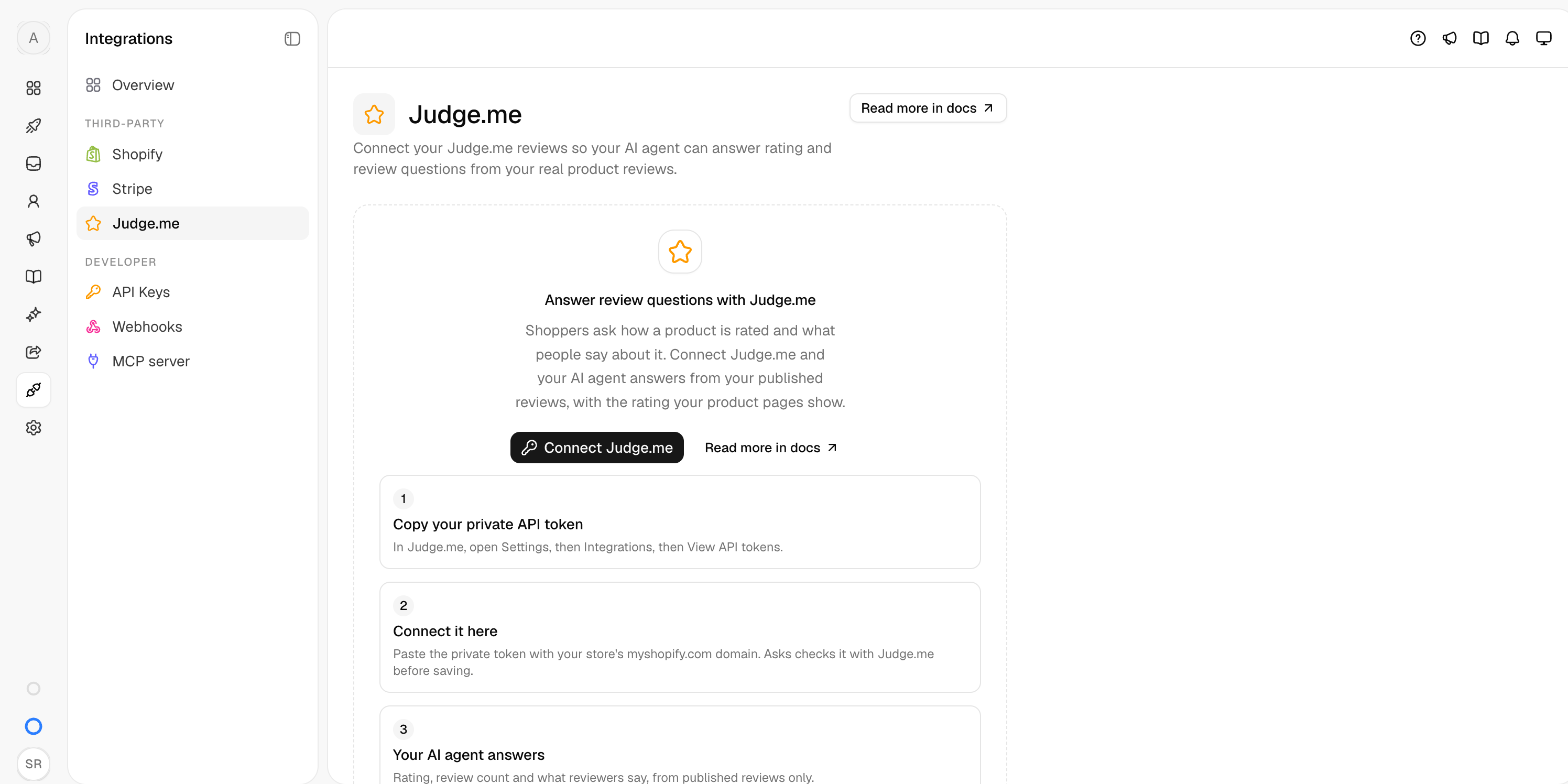
The Store domain is filled in with your connected Shopify store's myshopify.com domain. Paste the token and select Check and connect. Asks checks the token with Judge.me before saving it.
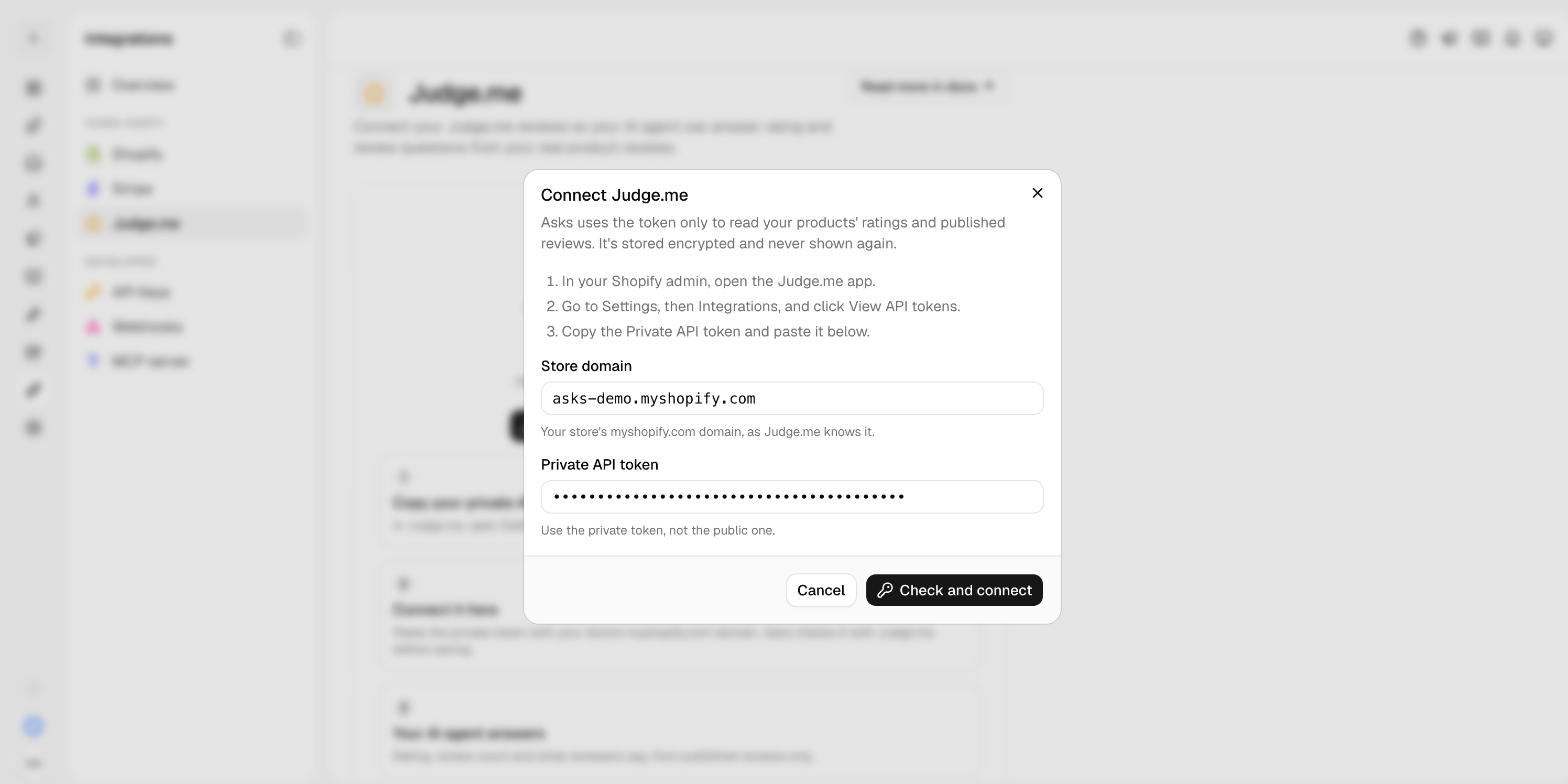
Once connected, the Judge.me store card shows your store's name and domain, the last four characters of the token, when it was connected and when the AI agent last used it.
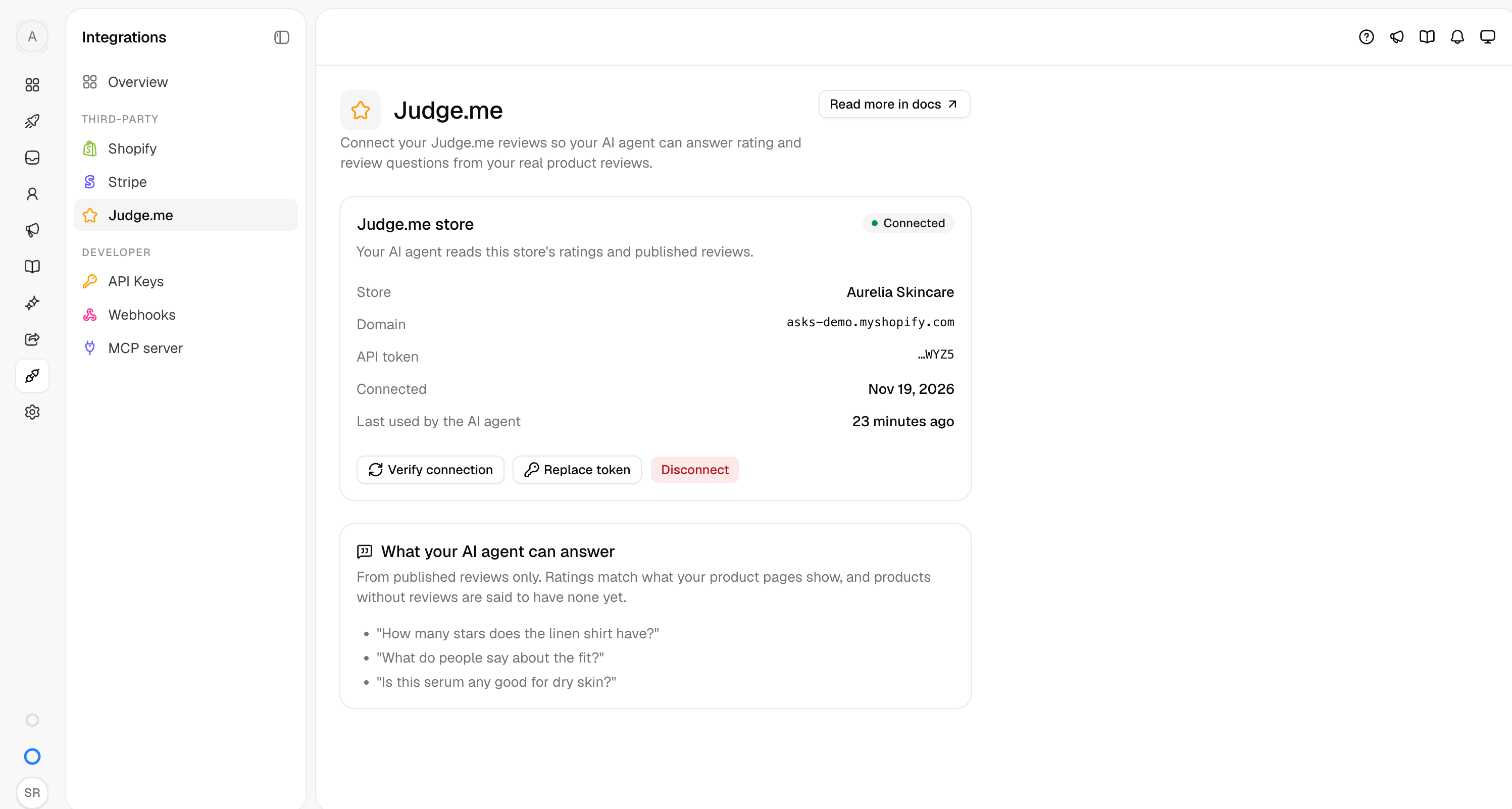
What the agent answers
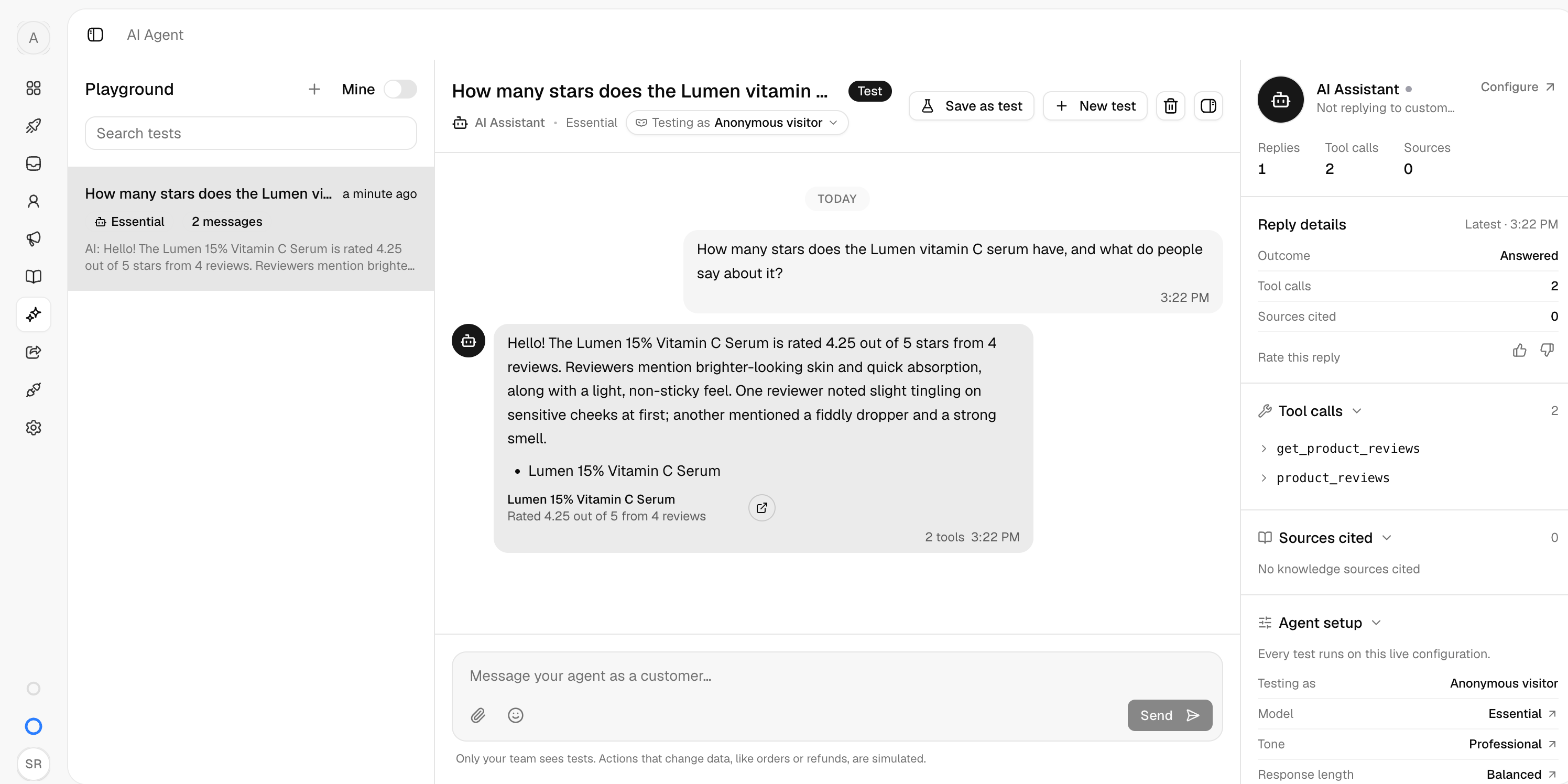
- Ratings and counts — the average rating and number of reviews exactly as your product page shows them, for example "4.7 out of 5 from 23 reviews". After a new review is published, Judge.me takes a few minutes to update the rating, on your product page and in the agent's answers alike.
- What reviewers say — a short summary of the most recent published reviews, with short quotes, including mixed or negative views when reviewers have them.
- One aspect — when a customer asks about one thing (fit, sizing, texture, quality), the agent looks first at the reviews that mention it. When none of the recent reviews do, it says so instead of guessing.
- No reviews yet — for a product without published reviews, the agent says it has no reviews yet. It never makes up a rating.
The agent finds the product in your store catalog from the name the customer uses or a product link. When several products match, it answers about the closest one.
The agent never shows unpublished, hidden or archived reviews, never shares a reviewer's email address or phone number (names appear at most as a first name and last initial), and never presents a reviewer's opinion as a promise from your store. Asks only reads your ratings and published reviews: it never writes, edits, hides or replies to reviews.
Verify it works — open the Playground and ask "How many stars does [a product] have?" or "What do people say about [a product]?". The answer should show the rating your product page shows and what your reviewers wrote.
Status and troubleshooting
| Status | What it means |
|---|---|
| Connected | The agent can read your reviews. |
| Needs attention | Judge.me rejected the saved token. The agent tells customers it can't check reviews right now. Copy the current private token from Judge.me and select Reconnect Judge.me. |
| Disconnected | You disconnected Judge.me. The agent no longer answers from your reviews. |
- "Judge.me rejected this token for that store" — check that you copied the private token in full and that the store domain is the one the token belongs to.
- "Judge.me has no store with that domain" — use the store's
myshopify.comdomain, not a custom domain. - Verify connection checks the saved token with Judge.me again; Replace token saves a new one.
Disconnect
Select Disconnect on Integrations → Judge.me. The agent stops answering from Judge.me right away. Your reviews in Judge.me aren't affected, and you can connect again at any time.